
Fotodiox Filter for the 14-24

Over the past year, I found myself shooting more frequently with my Nikon 14-24. It's become one of my favorite lenses. In the past, I primarily used this lens for interiors--so attaching filters was not a major concern of mine. However, on a recent trip to Yellowstone, I started using the 14-24 more often for landscapes. At times, I was forced to shoot with my Nikon 24-70 because of the desire to use neutral density or a polarizing filter in certain circumstances. I found the use of filters critical to achieve long exposure effects that convert ordinary images into those that appear more otherworldly:
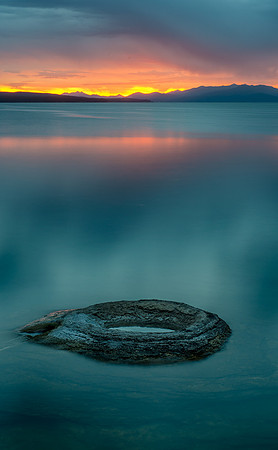

As many owners of the 14-24 are well aware, Nikon did not design the lens to accept filters. The lens does not have filter threads! After returning from my Yellowstone adventure, I decided to research my options for modifying my 14-24 to allow for the use of filters. I learned that Fotodiox is the only provider that manufacturers a filter kit for the 14-24 that accommodates both a neutral density and polarizing filter.
I started by ordering the WonderPana 145 Essentials Kit. This kit includes a filter system holder, a pinch lens cap (more on that later) and a circular polarizer. If satisfied with the system, I plan to purchase a neutral density filter later. The kit is not cheap--although is is cheaper than the alternatives. Currently, the kit is available for $320.
I've found very few reviews on the internet about this kit. So, although I've only had the kit for a few hours, I thought it might be useful to some if I shared my initial observations.
Ease of Use
The kit has four components: the filter system holder (2 components), the lens cap and the polarizing filter. Not being mechanically inclined, it took me several minutes to figure out how to attach the holder to the lens! But, once I saw how it worked, I can now easily attach or remove from the lens within seconds. Here's how it works:
First, take the filter holder element with the red grip and slide it onto the lens from the bottom. Yes...that means that the lens must be removed from the camera in order to attach this piece. It slides easily up to the built in lens hood of the 14-24.
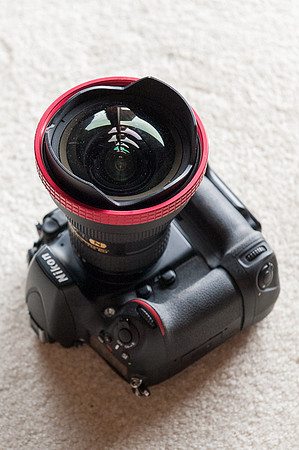 Then, take the other filter holder element...
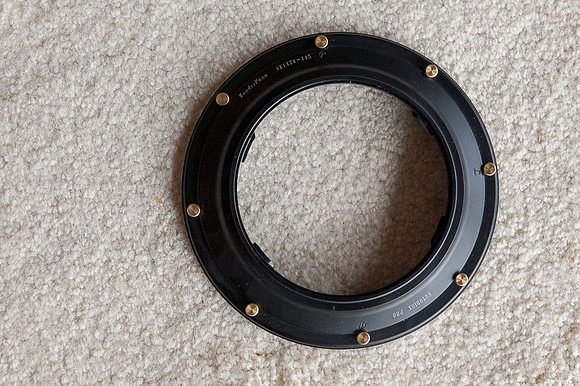 Slide it over the front element of the lens and screw it into the red grip element...
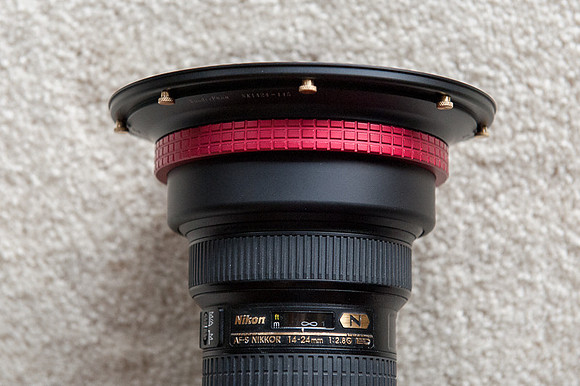 Now, the filter element is securely attached to the lens...
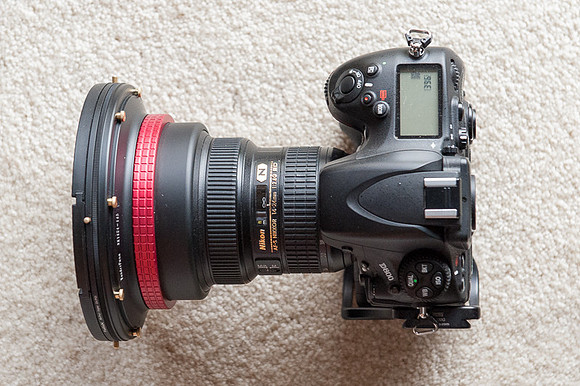 I've read reports on the internet of users who complained that dealing with the filter threads and the lens cap is a major pain. However, it appears that Fotodiox improved the threads as attaching the circular polarizer was no more difficult than it has ever been for any of my other lenses. And, the lens cap has been redesigned to be a simple pinch cap rather than the screw on variety of past versions.
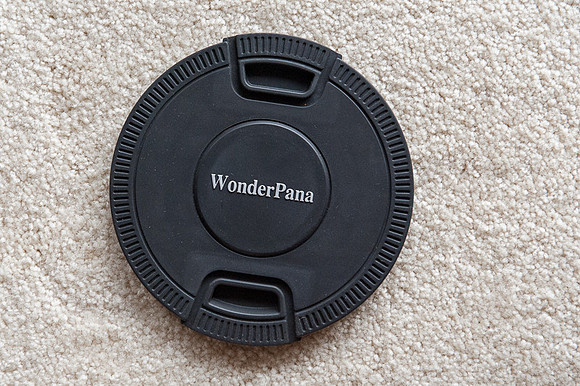 Clearly, the filters are large. Yet, I don't have any trouble finding space for the lens with the filter attached in my Think Tank Airport Acceleration bag. But, the front element of the 14-24 with holder now rivals that of my 200 f/2!
Overall, I would rate the ease of use to be excellent--and much better than I anticipated.
Build Quality
The build quality of the components was more solid than I expected. I don't anticipate any problems with the build quality under normal usage.
Vignetting
One issue that I wanted to test immediately was whether the filter would vignette at 14mm. Based upon my initial shots from a few hours ago, I didn't notice any vignetting. I always apply the automated lens correction feature within Lightroom 4 for the lens. So, it is possible that any very minor vignetting was eliminated through that step.
Image Quality
So, why use a polarizer on an ultra-wide lens? I don't intend to use the polarizer to darken skies as I'm certain that unacceptable banding would occur in the sky. I intend to use the filter on the 14-24 to slow shutter speeds, remove reflections from water, reduce glare from foliage and help deepen colors.
A concern of mine is whether placing a relatively inexpensive polarizing filter in front of the 14-24 will compromise image quality to an unacceptable degree. Since I've only had time to capture a couple of photos so far, the jury is still out on this. I captured a couple of quick shots this afternoon using the 14-24 with and without the polarizer.
Again, my first concern is vignetting. I don't see ANY vignetting in these images at 14mm.
Next, although it is subtle, I think that the photo with the polarizer has deeper, more saturated colors. I'm assuming this is a result of the reduced sheen from the foliage. From these two photos, I don't see any negative impact to the image quality from the filter.
You can take a look for yourself. The two images were taken consecutively using the same camera settings. I used f/11 at ISO 800. (ISO 800 was a stupid mistake...I forgot to dial the ISO down to the base 100, and it is the first time I've forgotten to do that all year!) The shutter speed was 1/125th for the image with the polarizer and increased to 1/400th when the filter was removed. The Nikon D800 was secured on a tripod and the camera was set for mirror lock up with a cable release. Here are the images with links to the full sized (7,360 by 4,912 pixels) photos.
With Polarizer
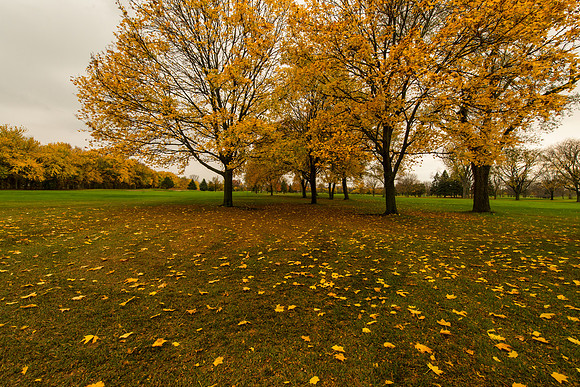 CLICK HERE for full sized image.

Without Polarizer
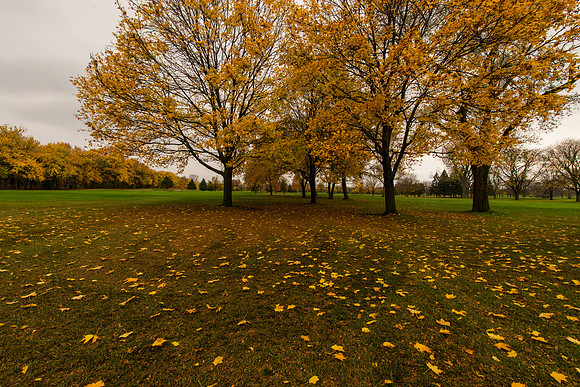 CLICK HERE for full sized image.

Again, this is just a quick preliminary review based upon having the filter kit for two hours. I plan to update the review with better quality images once I have a chance to get out there more with it.
Comments
Unfortunately, I haven't used the Fotodiox filters enough to really put it through its paces. I'm considering purchasing the new 10 stop ND filter as I think I would get more use out of that filter. I don't ever plan to use the polarizer with skies. I hoped to use it more for foliage, but some considerations have limited my use of the filter: (1) it's rather large and cumbersome to pack, so I don't always have it readily available; (2) I haven't seen a dramatic difference in the images with the polarizer attached; (3) the probability of flare increases with the large piece of glass in front of the lens; and (4) I haven't been shooting enough pictures of subjects where the polarizer is helpful (and where the frame doesn't include a sky).