
Flash Through Glass

The blue poison frog is housed behind very thick glass in an exhibit at the Brookfield Zoo. A few days ago, I shared some information about shooting photographs through glass. This post provides information about how Photoshop can help to make the use of a strobe a little less obvious.
I like how a touch of fill flash makes the color of the frog more vibrant. The flash also provides light that is very close to the temperature of daylight. This helps override the lighting in the exhibit which throws strange color casts onto the subject. One of the challenges with using a relatively small flash on this subject is that the light reflects off the shiny frog and leaves some hot spots on the subject--regardless of how low the power of the flash is set.
Here's the original image:
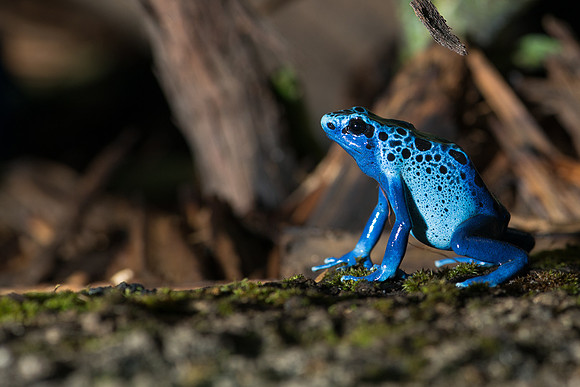 Blue poison frog
 Note the white hot spots on the legs and portions of the head:
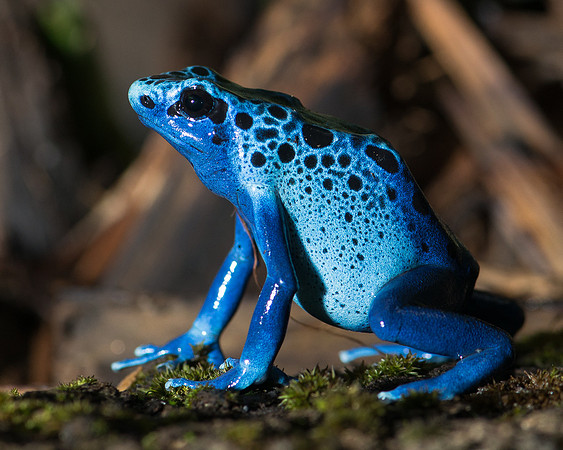 Blue poison frog
After using the clone tool to remove the hot spots, the frog now appears like this:
Blue poison frog
After using the clone tool to remove the hot spots, the frog now appears like this:
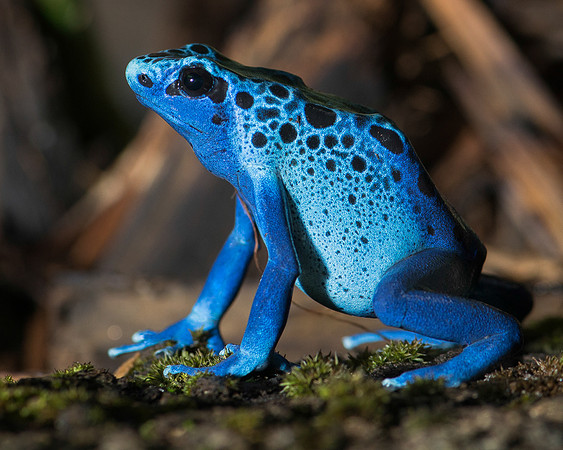 Blue poison frog
And, here's the final photograph. The revisions are subtle, but I believe that they improve the image:
Blue poison frog
And, here's the final photograph. The revisions are subtle, but I believe that they improve the image:
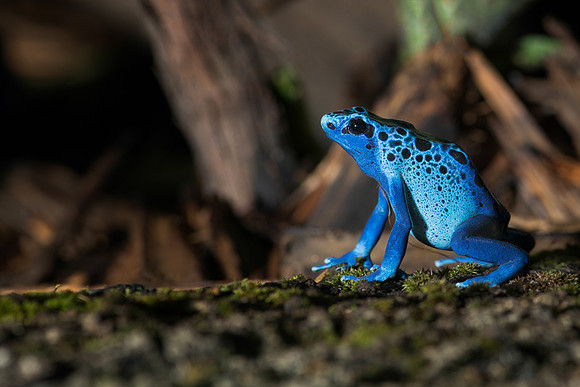 Blue poison frog