
Take Away the Blues

When capturing photographs of interiors, mixed lighting sources can present a challenge. Typically, the artificial indoor lighting can appear very orange. Daylight streaming in from the windows usually appears to be blue. Since there are multiple sources of light within the same frame, adjusting the white balance setting on your camera won't work. The camera will only allow you to choose one light source--so you'll be forced to pick one.
Here's an example using a recent photo from the Kansas State Senate Chamber. The camera has more or less rendered an accurate color for the light from the chandeliers. But, the light streaming in from the windows is rendered as blue. Notice how blue many of the desk tops and leather chairs appear. While your eye naturally corrects for these various light sources, the camera sensor doesn't.
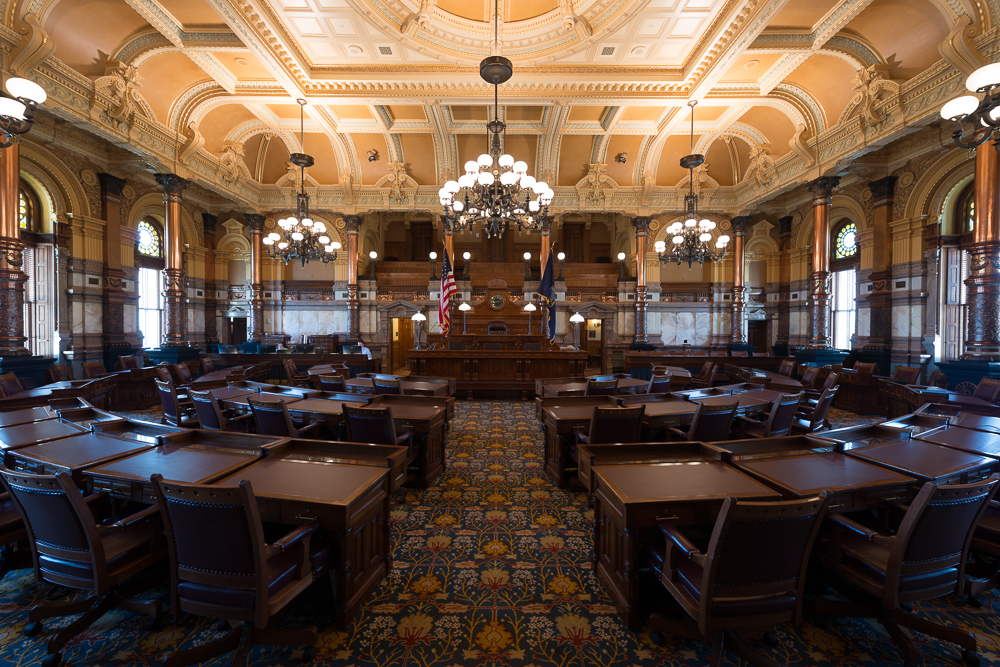
Correcting a photograph with multiple light sources can be challenging. Some photographers just give up and convert the picture to black & white! However, I discovered a very fast method for taking care of this common problem:
- Open the image in Photoshop and create a Hue/Saturation Adjustment layer.
- Select a blue area of the frame (I chose a desk) and drag the saturation slider all the way down. The blues will now be removed from the entire frame.
- Add a black mask to the adjustment layer. Remember that black conceals the adjustment while white reveals it.
- Brush with white over the areas of the frame where you want to remove the blue cast...desk tops, leather chairs, windows, etc.
- The beauty of this is that the saturation remains for all of the other key areas (as well as blue in the untouched areas), but the blue cast is quickly removed from the area where it doesn't belong.
I find the final photograph more appealing for two reasons. First, the blue cast is removed. Next, I bracketed a few more exposures to bring out more details in the highlights and shadows of the frame.
 Kansas Senate chamberKansas Senate chamber in the Kansas State Capitol building at 300 SW 10th Avenue in Topeka, Kansas on July 23, 2014. This photograph consists of five exposures blended to create a high dynamic range (HDR) image.