|
I'll be posting some random thoughts here about my photography: my travel plans, technical information behind some images, stories about how certain pictures were captured, etc. The timing of the postings will also be random as my priority is capturing new images rather than writing about existing ones. I hope you will feel free to comment on any of my postings and I appreciate you taking time to read my entries.

Clean Up the ClutterOne of my main objectives when shooting pictures is to focus the viewer's attention on my intended subject. I want to keep things as easy and simple for the viewer as possible. Focusing the viewer's attention on the subject can be accomplished in a variety of ways, including:
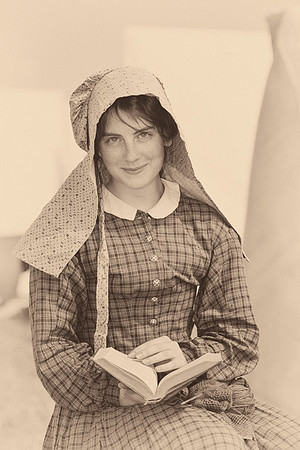
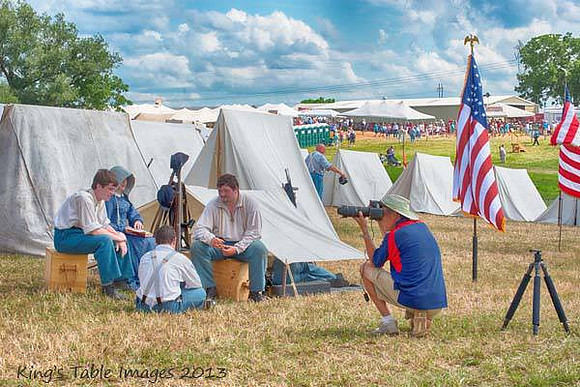
My recent trip to Gettysburg involved implementing most of these techniques. During the reenactment event, I photographed some reenactors at the Union camp one afternoon. These portraits can be challenging due to the harsh light and distracting elements. For this photograph, I...
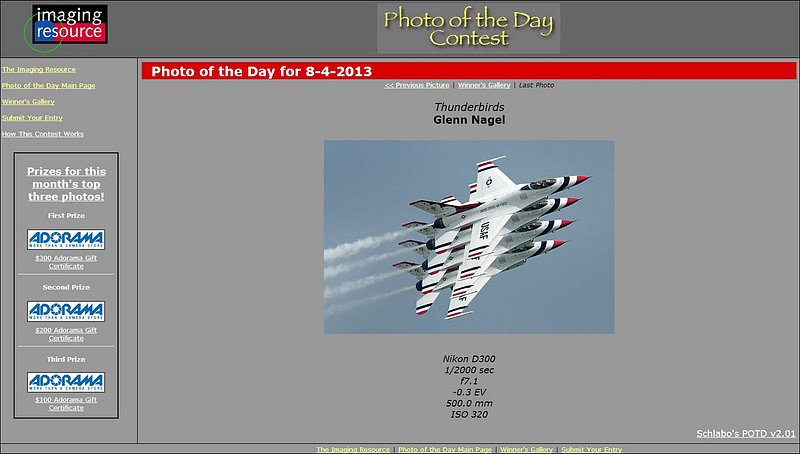
"Thunderbirds" Wins Photo of the Day!This morning, my "Thunderbirds" picture won Imaging Resource's "Photo of the Day".
This photograph was captured at the Rockford AirFest show in July, 2010. I've been accused of moving the jets closer together using Photoshop, but I can assure you that this image was not manipulated in post processing!
This marks the tenth consecutive month that one of my photographs was recognized by Imaging Resource as its "Photo of the Day". Get Them Out of the SunShooting portraits under hard, direct sunlight is generally not a good idea. Unfortunately, those are exactly the conditions I faced much of the time while taking photographs at the Gettysburg reenactment. So, I was looking for alternatives. My first solution was to try to time the capture as a cloud would pass in front of the sun. This can be challenging, especially when it's important to also manage the background and to press the shutter while it is temporarily free of spectators walking through it! Here's one of the rare ones that worked (although in large part due to the patience of the woman in the frame):
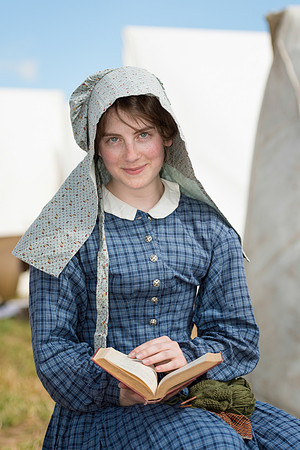
One solution is to simply get the subject out of the sun. The tents in camp provided that opportunity.
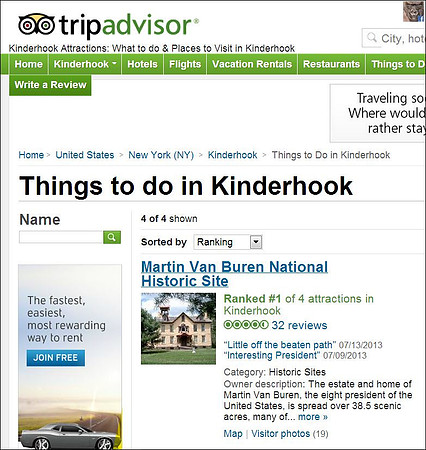
In the above portrait, one final touch was adding some bounce flash. I bounced some light (-1.7 stops EV) from my Nikon SB-900 into the overhead white canvas of the tent. This helped even out the exposure a bit--and added a catch light into the eyes for some of my subjects. Trip AdvisorI find Trip Advisor to be a useful resource for identifying potential locations for photo shoots. During my recent travels, I use the Trip Advisor app on my phone to quickly see what's nearby. I usually click on the "Things to Do" category and then scan through the list of attractions and reviews for possibilities. During my most recent trip to Albany, I had a few hours available before beginning my drive to Cooperstown. So, I clicked on the nearby "Things to Do". The Martin Van Buren National Historic Site in Kinderhook, New York caught my eye.
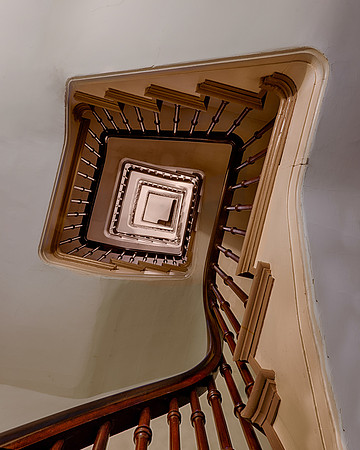
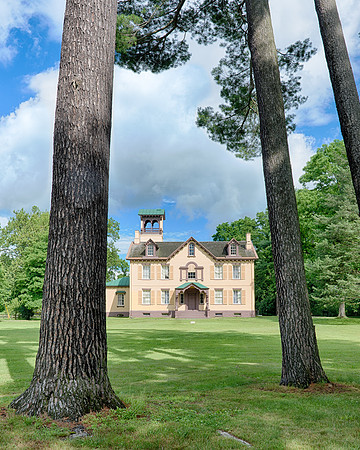
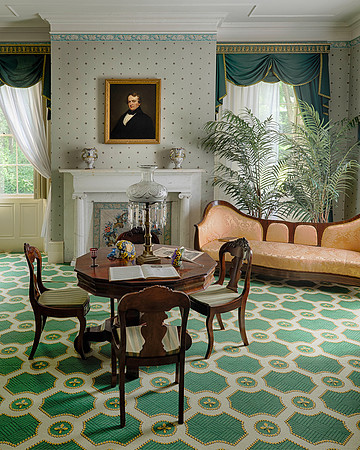
I was just 30 minutes from the site, so I decided to give it a try. Without Trip Advisor, this location would never have entered my mind. Once I arrived, I signed up for a tour of President Van Buren's Lindenwald "mansion". As a result, I captured some interesting photographs:
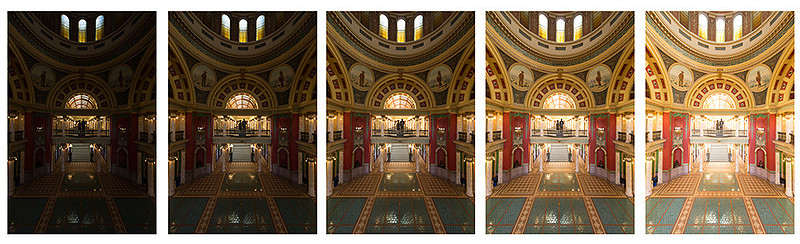
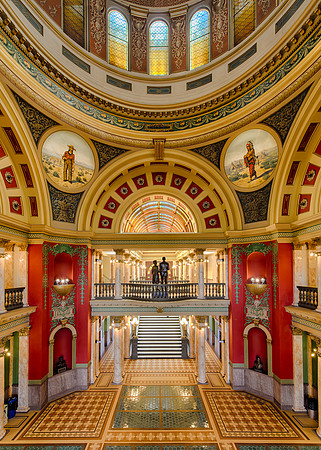
A Capitol RecipeOver the past year, I've visited and photographed 11 capitol buildings. When sharing these pictures through photography forums, I always get questions about them--how to minimize distortion with a wide angle lens, how to keep the lines straight, how to retain details in the stained glass windows, etc. So, I'm posting this blog entry to address those questions. Let's take one of the photographs (the interior of the Montana State Capitol) and walk through the process in detail from the beginning (at capture) to the end (the finished photograph). Of course, this same process can be used for churches and other interior spaces: AT CAPTURE: For most interiors, I capture multiple exposures to create a high dynamic range (HDR) image. By varying the exposures, it's possible to retain details in both the highlights and shadows. For the highest image quality (especially given that I'm shooting multiple frames), I always secure the camera to a tripod. I use the Mirror Lock Up feature of the Nikon D800 along with a cable release to minimize the risk of any camera movement. The Virtual Horizon feature makes it convenient to align the lens properly both vertically and horizontally. Aligning the lens is critical to keeping the lines straight, especially with ultra-wide angle lenses. Sometimes, the subject will move up or down too much within the frame as a result of the lens being aligned with the horizon. Since I don't own a tilt-shift lens, I rely on the cropping capabilities of the Nikon D800's sensor to help deal with this issue. I shoot raw files and set the camera to its base ISO (e.g., 100 in the case of the D800). If time permits (and there aren't a lot of people entering the frame), I will also activate the camera's long exposure noise reduction feature. MULTIPLE FRAMES: Typically, I take five exposures of an interior scene with the camera in Aperture Priority--varying the shutter speeds for each exposure by one stop. If the scene presents a more extreme dynamic range, I will increase the number of frames to nine. Many times, this approach also requires dialing in some negative exposure compensation. For the image in the sequence with the shortest exposure, I check the histogram to ensure that details are retained in the highlights (i.e., windows, lamps). If the highlights are still blown out (i.e., blinking on the camera's LCD panel), I start over and dial in more negative exposure compensation until the "blinkies" go away. Here's the sequence of five exposures from the Montana State Capitol rotunda. Shutter speeds range from 1/4th of a second (far left) to 4 seconds (far right). Note that negative exposure compensation was dialed in until some color and detail started to appear in the upper stained glass windows in the frame on the far left:
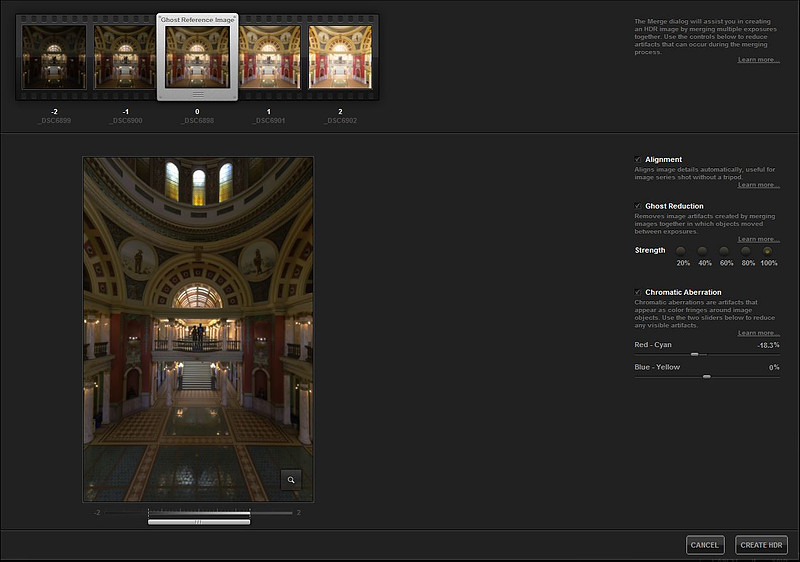
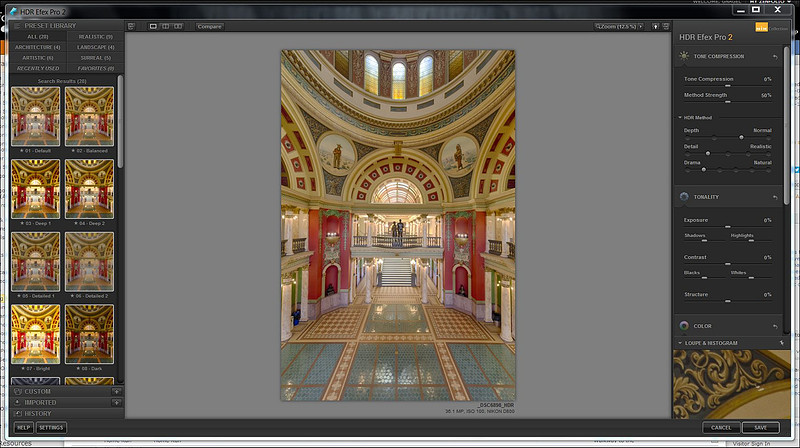
CREATING THE HDR IMAGE: To create the HDR image, I first bring the raw files in to Lightroom. In Lightroom, I apply two adjustments: white balance and lens correction. For white balance, I usually use the white balance eyedropper tool and look for something that should be neutral gray in the frame. For lens correction, I apply the default setting for lens correction by enabling profile corrections and removing chromatic aberration. From there, I export the images as tiff files to HDR Efex Pro 2.
BASIC ADJUSTMENTS: I bring this blended TIFF file back into Lightroom and begin processing the photograph just as I would any other non-HDR picture. Typically, I take another look at the white balance, adjust contrast to taste, perhaps add some clarity and sharpen the image. I don't crop the image at this point since the lines might require further adjustments in Photoshop--and I need all the frame space I can get before playing with the lines! FINISHING TOUCHES: Once I've finished my Lightroom adjustments, I bring the file into Photoshop CS5. My first step in Photoshop is to clone out any unwanted sensor dust spots or unwanted people! Then, to ensure that the lines are straight, I use the Perspective Crop tool. For more information about using this tool, please refer to my earlier blog posting titled "Evolution of a Picture". Once the lines are straight, I crop the picture. For nearly every photograph that I process of interiors, I apply at least four of the Nik Color Efex Pro 4 filters. These filters are applied as masks within Photoshop, so that I can apply the effect selectively to the appropriate areas within the frame and so that the opacity can be tweaked to apply just the right amount of effect to keep things looking realistic. Here are the four filters that apply most often:
Once I've applied the Nik filters, I save the finished file. Voila!
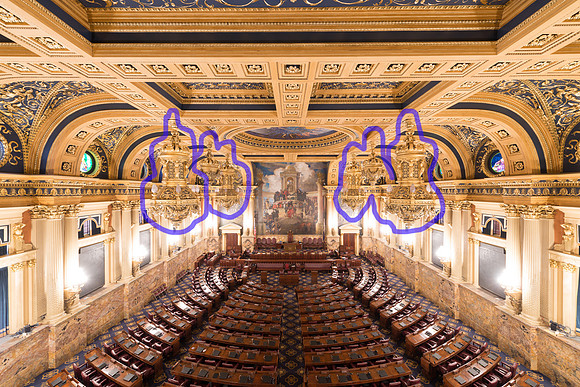
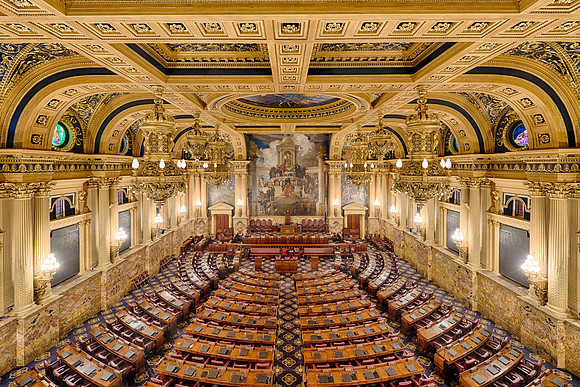
Turn on the Lights!On July 5th, I visited the Pennsylvania State Capitol in Harrisburg. To my disappointment, the doors to the House of Representatives chamber were locked. So, I joined the tour as my only way to gain access to the room. When I first entered the chamber, I was overwhelmed! I quickly moved to the center of the balcony, set up my tripod and began shooting. I can set up my tripod in less the 15 seconds now! Since the room was dark, this photograph required very long exposures (up to 30 seconds). I wanted to bracket my exposures using five separate images so that I could later blend them during post processing to retain more detail in the highlight and shadow areas of the frame. The tour guide had just enough patience to allow me to get through the five exposures. Here was my initial capture (with the upper chandeliers outlined in purple):
My first goal was to bring back more detail in the lower chandeliers. I accomplished that by utilizing additional frames with less exposure than this one. By blending those other exposures into this one (using HDR Efex Pro software), far more information becomes visible near those lower lamps. In the image below, you can now see the individual globes that make up each lamp. Dealing with the unlit upper chandeliers is another challenge. I asked the tour guide if the chandeliers could temporarily be lit. I had success at other venues with such requests, so I thought I would give it a try! She explained that the upper chandeliers require very specialized and expensive bulbs, so those lights are always turned off unless the House is in session. She went on to explain that photography is prohibited when the House is in session, so basically the photograph that I was seeking is impossible! So, I brought the blended image into Photoshop, selected a white brush, zoomed in on the chandeliers, and began painting each bulb with that white brush. Eventually, I turned all the lights on!
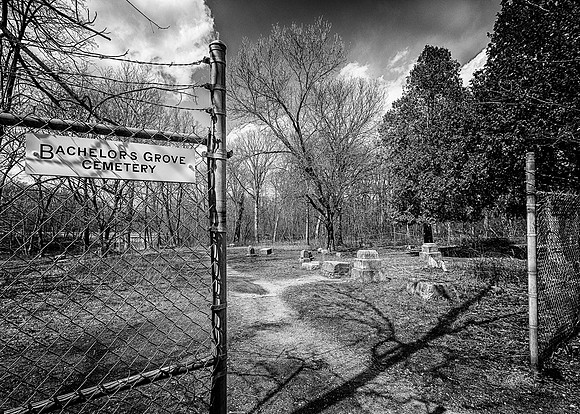
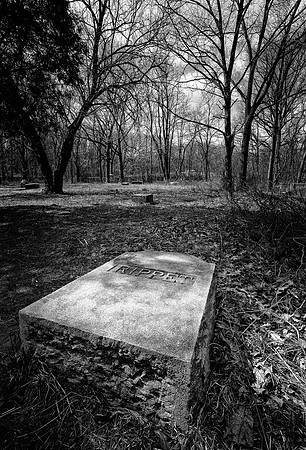
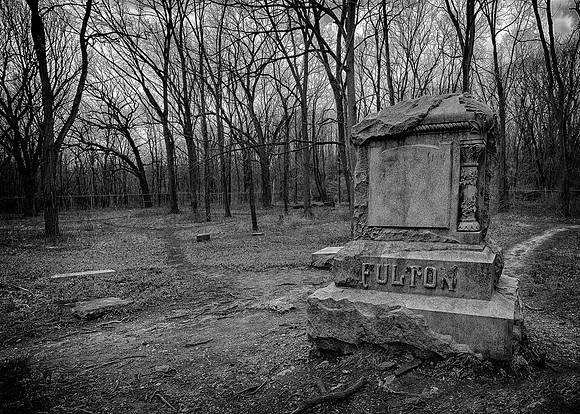
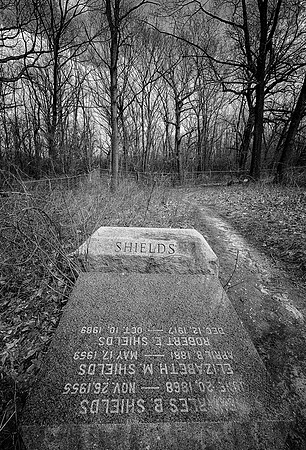
Bachelor's Grove CemeteryOne afternoon in April, I visited Bachelor's Grove Cemetery. This is a very small graveyard located in the Cook County Forest Preserves just outside of Chicago. Visitors must walk through the woods to gain access to the grounds. The cemetery has a reputation for being one of the most haunted sites in Chicagoland. "Ghost hunters" from around the country come to visit the graveyard. Click here to visit a website that contains more information about the history of the cemetery. I visited the site in hopes of capturing some photographs that would document this legendary location that is so close to my home. Sadly, the cemetery has been desecrated. During my visit, a woman who entered the cemetery tried to convince me that she was experiencing paranormal activity. She told me that her camera had burned through three sets of batteries while she was shooting photos during her stroll to the cemetery. I told her that I had been shooting for 90 minutes on the grounds without any battery issues. I had to wonder why she would have brought so many batteries to a site which requires only a five minute walk from the parking lot. The fact is that most people visiting the graveyard come convinced that they will experience something extraordinary--so they do! I also met a man at the cemetery who was removing trash. I ended up talking with him for fifteen minutes or so. He was very familiar with the grounds, having lived near the cemetery since the early 1960's. He told me a lot about the history of the site. He talked about how beautiful the grounds were many years ago; how families visited the cemetery and had picnics near the grounds; and how he swam in the pond next to the cemetery when he was a boy. He also talked about how the cemetery became more remote when a local road closed and how the isolated cemetery shortly became overrun by vandals. Over the years, vandals dug up graves and toppled and destroyed most monuments. Even the cemetery sign is constantly stolen. In part, the lack of respect that these vandals showed at the burial grounds led to the creation of many of these ghost stories. While many local residents are convinced that the grounds are haunted, the groundskeeper that I talked with said that he hadn't seen a single event out of the ordinary in over 45 years--and he's visited the grounds on most of days over that span of years. One of the biggest challenges from a photography perspective is that there isn't much left at the site. Most of the stones have been stolen. The original sign which arched over the entrance is long gone. There's just a handful of broken tombstones laying in the dirt and weeds. Rather than finding myself frightened or fascinated during my visit to this legendary cemetery, I found myself angry at the vandals who showed such little respect to the departed and sad for the families who buried loved ones at the grounds. The groundskeeper told me about a 90 year old woman from Wisconsin who recently came to the cemetery to pay what she thought would be her last visit to her departed sister's gravesite. I can only imagine what she thought when she entered this graveyard.
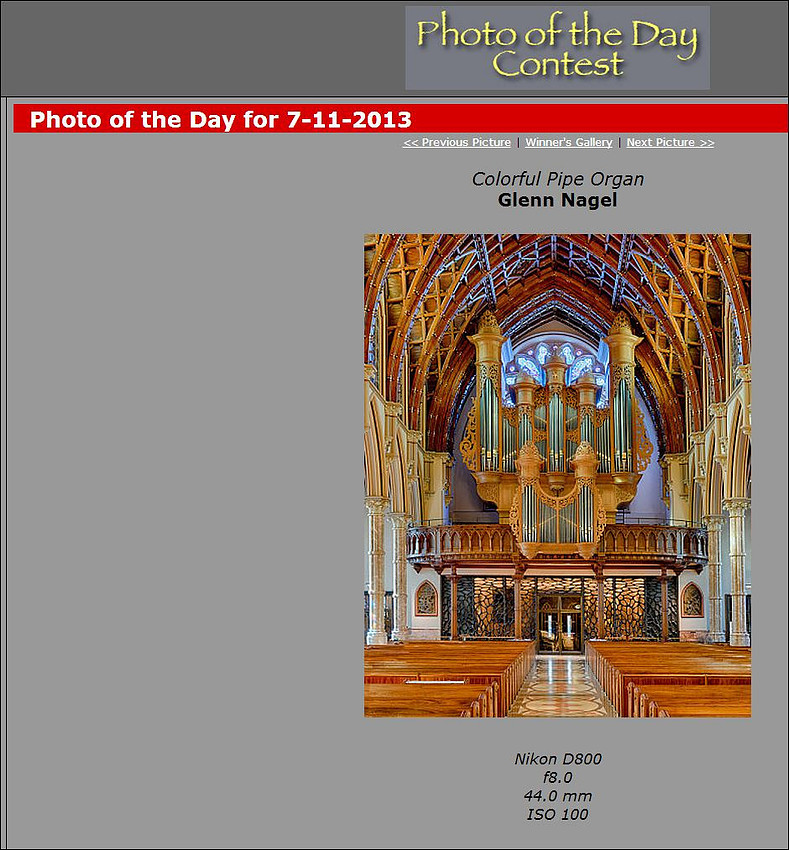
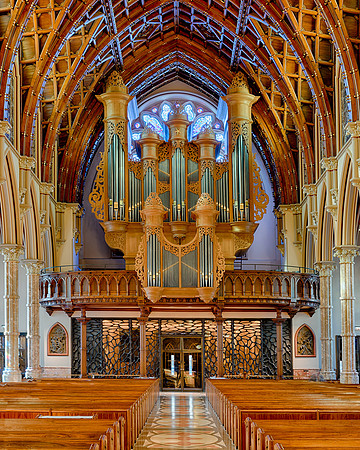
"Colorful Pipe Organ" Wins Photo of the Day!This morning, my "Colorful Pipe Organ" picture won Imaging Resource's "Photo of the Day".
This photograph was captured at the Holy Name Cathedral in Chicago, Illinois on February 25, 2013. CLICK HERE to view a blog posting of mine regarding this particular photo that I posted last month.
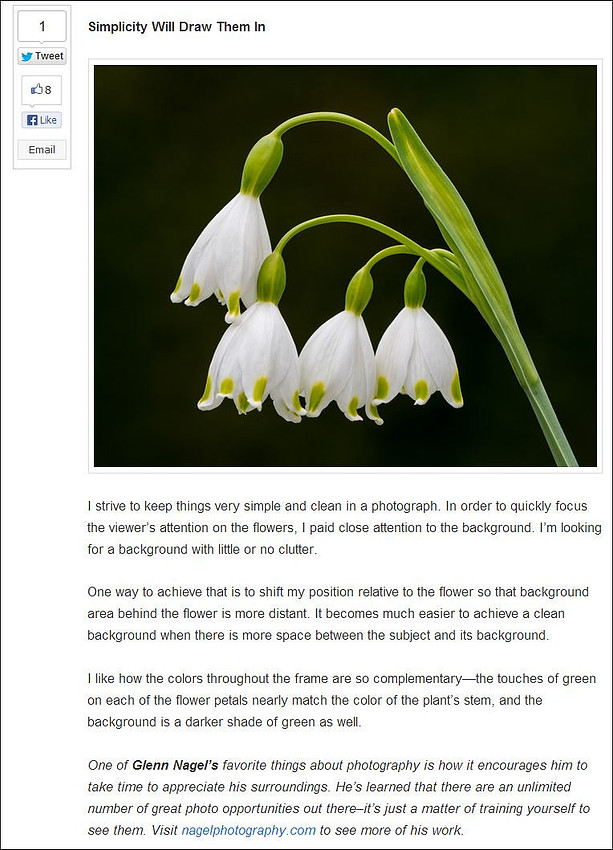
This marks the ninth consecutive month that one of my photographs was recognized by Imaging Resource as its "Photo of the Day". Mancari's Shares Photo TipsEarlier today, Mancari's of Oak Lawn shared some summer photo tips from ten local area photographers. I'm pleased to be included within this group of photographers. My tip centered around keeping things simple within a photo:
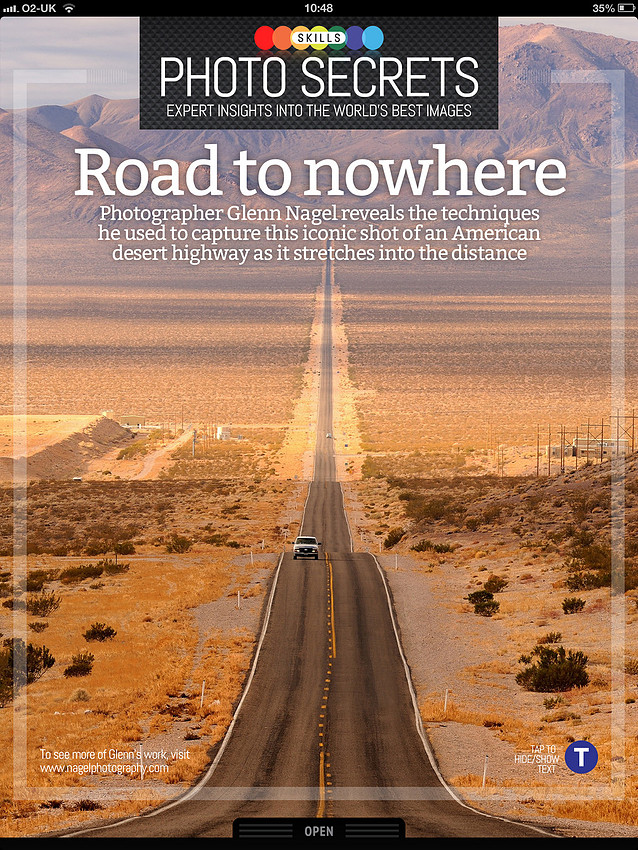
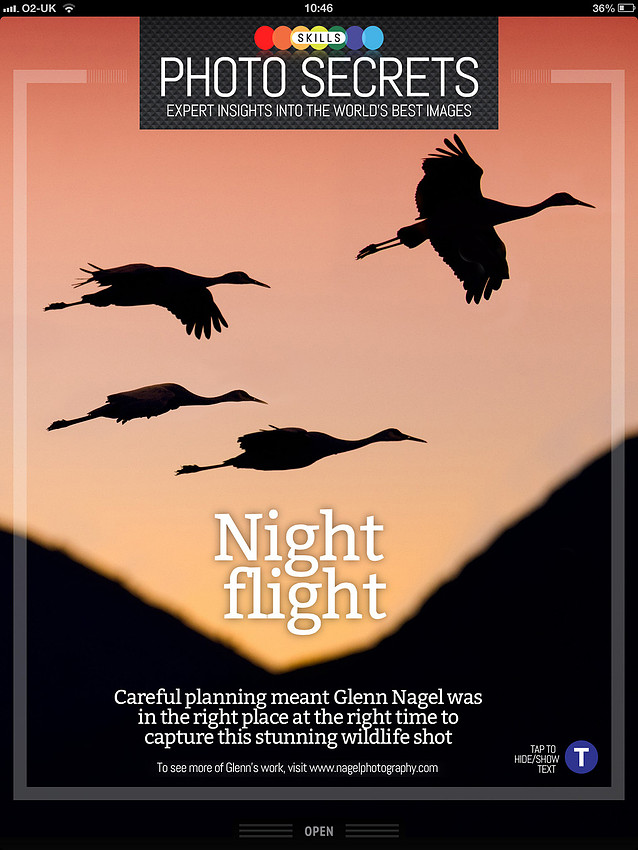
Two Photos Appear in "Photography Week" Magazine!Digital Camera World recently published two of my photographs (Long Desert Highway and Sandhill Cranes Silhouette) in its Photography Week magazine! This magazine is an interactive application for photographers in which viewers can learn how certain images were captured.
Following are the "tips" I provided for each image: Road to Nowhere: This photograph is a view of Highway 374 looking towards Death Valley National Park from Beatty, Nevada. I chose a telephoto lens (300mm focal length) to compress the scene in order to make the distant mountains more significant. I waited for the truck to enter the frame to introduce some scale into this vast image. Night Flight: This photograph was captured at Bosque del Apache National Wildlife Refuge I visited the refuge in December as the sandhill cranes usually select the refuge for their winter home. I intentionally underexposed this picture as I wanted the cranes to be a silhouette, the colors to deepen in the sky and a fast enough shutter speed to freeze the movement of the birds. |