|
I'll be posting some random thoughts here about my photography: my travel plans, technical information behind some images, stories about how certain pictures were captured, etc. The timing of the postings will also be random as my priority is capturing new images rather than writing about existing ones. I hope you will feel free to comment on any of my postings and I appreciate you taking time to read my entries.

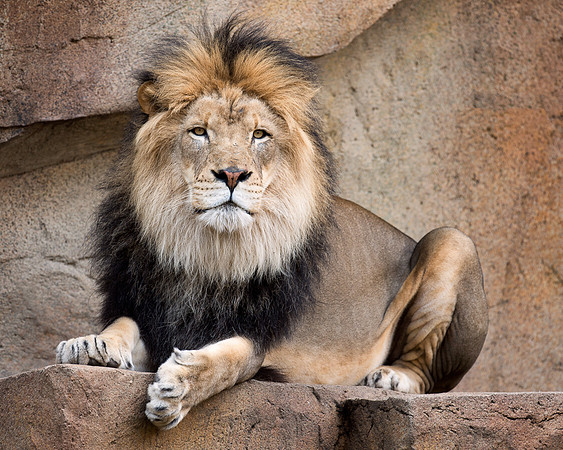
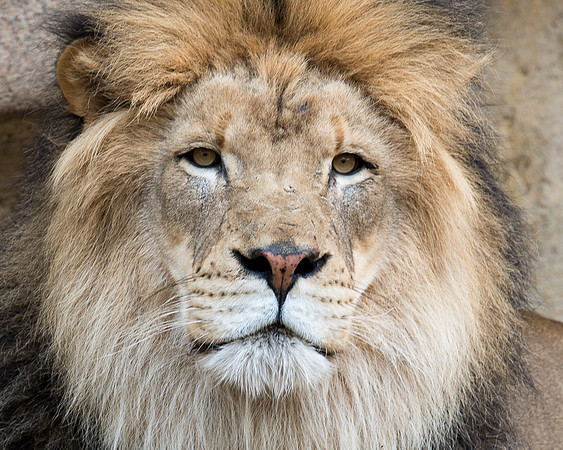
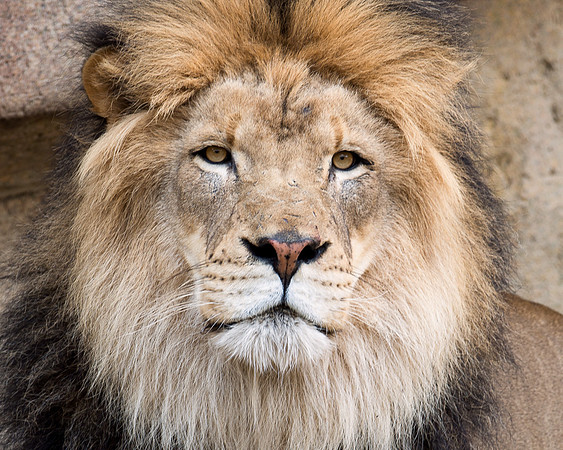
Screen Those Eyes!Sometimes, it's those subtle post processing adjustments that can improve a photograph. Earlier in the week, I captured some photos of Zenda, an African lion at the Brookfield Zoo. I liked his pose and the soft, diffused light from the cloudy sky. Here is one of the images:
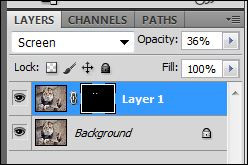
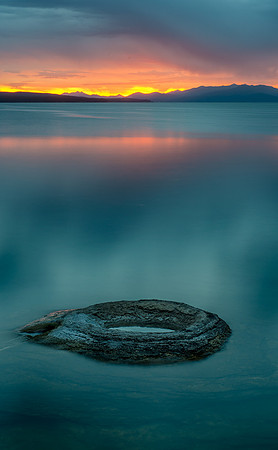
There are many methods of brightening eyes in Photoshop. As of late, I find the screening mask to be a quick and easy fix for most situations. Fotodiox Filter for the 14-24Over the past year, I found myself shooting more frequently with my Nikon 14-24. It's become one of my favorite lenses. In the past, I primarily used this lens for interiors--so attaching filters was not a major concern of mine. However, on a recent trip to Yellowstone, I started using the 14-24 more often for landscapes. At times, I was forced to shoot with my Nikon 24-70 because of the desire to use neutral density or a polarizing filter in certain circumstances. I found the use of filters critical to achieve long exposure effects that convert ordinary images into those that appear more otherworldly:
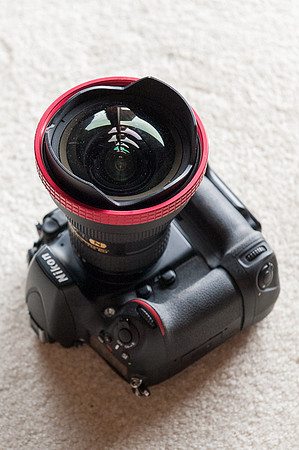
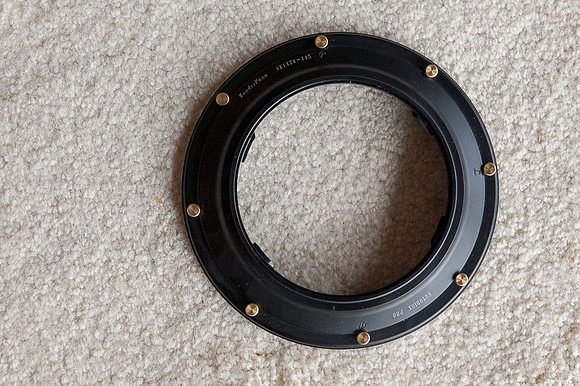
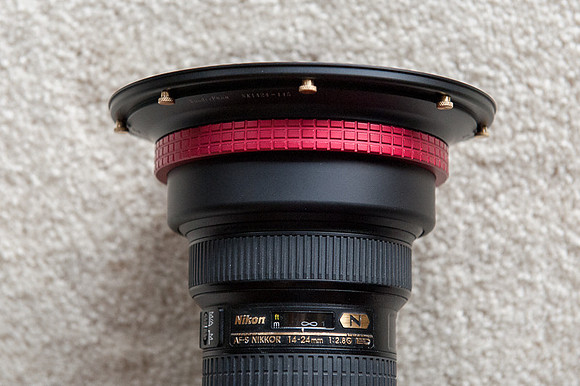
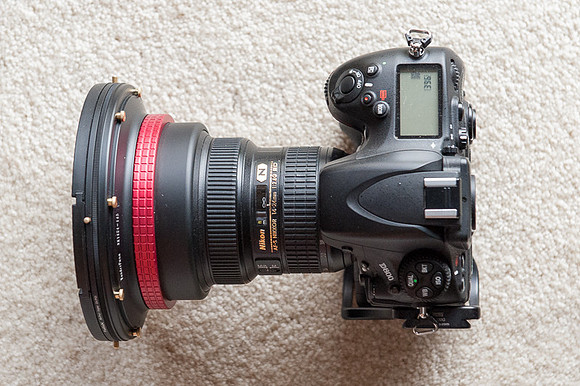
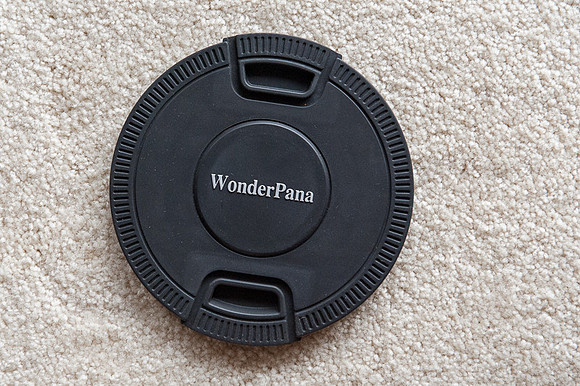
As many owners of the 14-24 are well aware, Nikon did not design the lens to accept filters. The lens does not have filter threads! After returning from my Yellowstone adventure, I decided to research my options for modifying my 14-24 to allow for the use of filters. I learned that Fotodiox is the only provider that manufacturers a filter kit for the 14-24 that accommodates both a neutral density and polarizing filter. I started by ordering the WonderPana 145 Essentials Kit. This kit includes a filter system holder, a pinch lens cap (more on that later) and a circular polarizer. If satisfied with the system, I plan to purchase a neutral density filter later. The kit is not cheap--although is is cheaper than the alternatives. Currently, the kit is available for $320. I've found very few reviews on the internet about this kit. So, although I've only had the kit for a few hours, I thought it might be useful to some if I shared my initial observations. Ease of Use The kit has four components: the filter system holder (2 components), the lens cap and the polarizing filter. Not being mechanically inclined, it took me several minutes to figure out how to attach the holder to the lens! But, once I saw how it worked, I can now easily attach or remove from the lens within seconds. Here's how it works: First, take the filter holder element with the red grip and slide it onto the lens from the bottom. Yes...that means that the lens must be removed from the camera in order to attach this piece. It slides easily up to the built in lens hood of the 14-24.
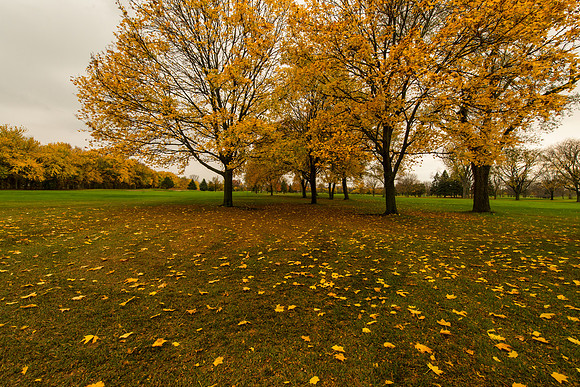
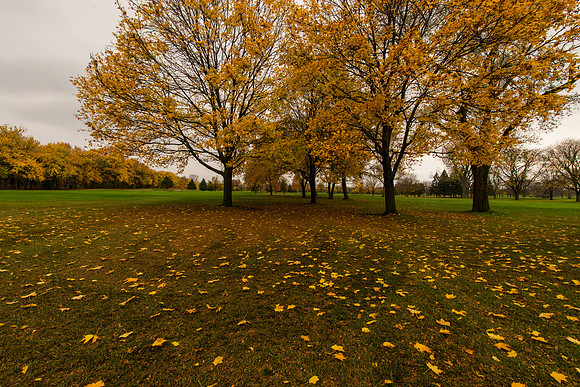
Overall, I would rate the ease of use to be excellent--and much better than I anticipated. Build Quality The build quality of the components was more solid than I expected. I don't anticipate any problems with the build quality under normal usage. Vignetting One issue that I wanted to test immediately was whether the filter would vignette at 14mm. Based upon my initial shots from a few hours ago, I didn't notice any vignetting. I always apply the automated lens correction feature within Lightroom 4 for the lens. So, it is possible that any very minor vignetting was eliminated through that step. Image Quality So, why use a polarizer on an ultra-wide lens? I don't intend to use the polarizer to darken skies as I'm certain that unacceptable banding would occur in the sky. I intend to use the filter on the 14-24 to slow shutter speeds, remove reflections from water, reduce glare from foliage and help deepen colors. A concern of mine is whether placing a relatively inexpensive polarizing filter in front of the 14-24 will compromise image quality to an unacceptable degree. Since I've only had time to capture a couple of photos so far, the jury is still out on this. I captured a couple of quick shots this afternoon using the 14-24 with and without the polarizer. Again, my first concern is vignetting. I don't see ANY vignetting in these images at 14mm. Next, although it is subtle, I think that the photo with the polarizer has deeper, more saturated colors. I'm assuming this is a result of the reduced sheen from the foliage. From these two photos, I don't see any negative impact to the image quality from the filter. You can take a look for yourself. The two images were taken consecutively using the same camera settings. I used f/11 at ISO 800. (ISO 800 was a stupid mistake...I forgot to dial the ISO down to the base 100, and it is the first time I've forgotten to do that all year!) The shutter speed was 1/125th for the image with the polarizer and increased to 1/400th when the filter was removed. The Nikon D800 was secured on a tripod and the camera was set for mirror lock up with a cable release. Here are the images with links to the full sized (7,360 by 4,912 pixels) photos. With Polarizer
Without Polarizer
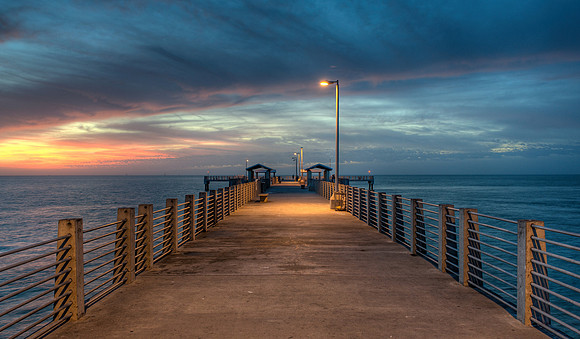
Again, this is just a quick preliminary review based upon having the filter kit for two hours. I plan to update the review with better quality images once I have a chance to get out there more with it. 50,000!Today, my photography website hit a milestone by greeting its 50,000th visitor! This count is based upon unique visitors--that is, returning visitors do not add to the count. Since adding my photography blog, the number of new visitors has increased. Last month, the site attracted 1,700 new visitors. So far this month, another 1,700 people have visited the site for the first time. People from 139 different countries have browsed through the photos. When I created this site five years ago, I never expected it to grow to this extent. Thanks to all who have taken the time to view my photographs. The most viewed photograph on my site is one titled "Pier Twilight". It was captured at the Fort De Soto Gulf Pier in Tierra Verde, Florida in February of 2009. Over 8,500 visitors have viewed this photo. I also have a framed print of this photograph hanging in my house!
Sharing Photos: Annual Photography BookEach year for the past five years, I've challenged myself to create an 160 page photography book featuring my favorite images from the year. To encourage diversity in my shooting, I categorize the images in seven chapters: landscapes, animals, architecture, people, plants, sports, and objects/abstracts. The goal is to capture enough images to fill the book. I try to complete the book by November so that it can be gifted to others in time for the holidays. As the new year approaches, the idea of capturing enough images to fill one of these books is overwhelming. But, over the past five years, I've capturing a steady stream of pictures through the year. Travel certainly helps! Here a first draft of this year's book. You may preview all the pages of the book if you wish. You may also wish to expand the view to full screen. If you notice any errors (typos), please let me know before I send the book to print! As you can see, I use Blurb to create my books. My books are created using Blurb's premium paper and I have been pleased with the quality of the printing and binding. Blurb's Booksmart software makes creating a photo book quite simple. It took me just six hours to create this book from beginning to end! Open HouseLast weekend, the Chicago Architecture Foundation held its second annual Open House event. This event offers access to over 150 buildings across Chicago. Over the weekend, I visited ten of the sites. Although I've lived in the Chicago suburbs for most of my life, I had never stepped foot in any of these buildings with the exception of the Chicago Cultural Center!
While photographing these locations, I found a wide angle lens and tripod to be critical tools. Nearly all of my pictures were captured with the Nikon D800 and Nikon 14-24 2.8 lens. And, nearly all of the pictures were high dynamic range (HDR) images that consisted of five exposures. Although the D800 files offer a more dynamic range than previous sensors, I found that the HDR images retained even more detail in the highlights and shadows. For example, in the images of City Hall, the HDR versions retained detail in the shiny marble arches, whereas the single frame version with the best overall exposure failed to retain such detail. Here are a few of my favorites:
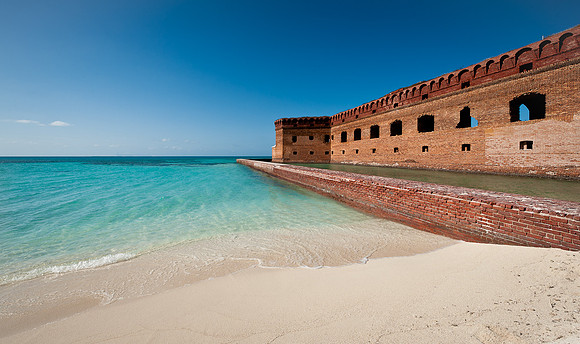
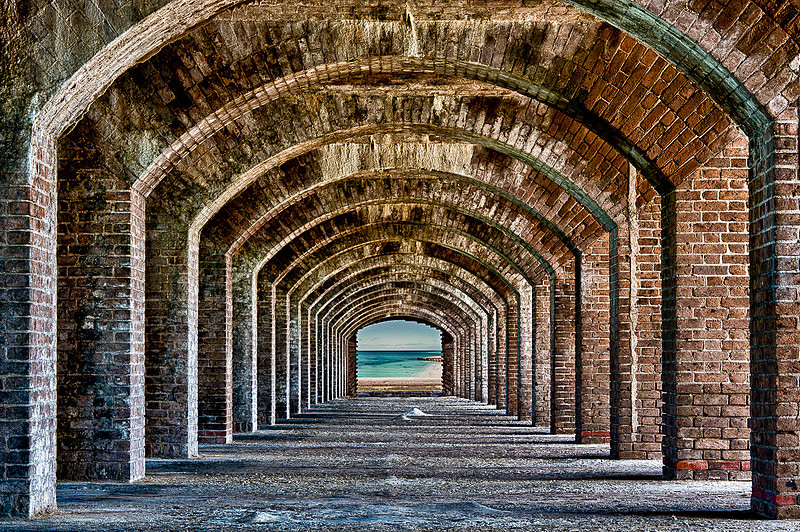
Swapping ViewsEarlier this year, I visited Fort Jefferson at the Dry Tortugas National Park. Dry Tortugas is one of the most remote national parks in the United States. It's a very small island located about 70 miles off the coast of Key West, Florida. The repeating arches was my favorite subject to photograph at the fort. To create the final image, I captured 15 frames and utilized the following software: Photoshop CS5, Nik Color Efex Pro and Nik HDR Efex Pro. First, I captured an image of the scene with a single exposure:
Fort Jefferson is surrounded by the Gulf of Mexico and a small beach:
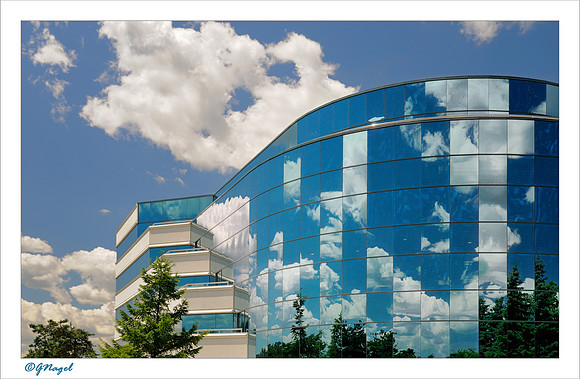
Shoot First...and Answer Questions Later!I'm experiencing a frustrating trend in my photography. It seems that people are attempting to make more subjects unavailable for photography. Often times, I'll be shooting a photograph of a building and within seconds someone is demanding to know what I'm doing. Here are a few examples: I was attracted to this image because of the reflection of the clouds in the windows of this office building. Within seconds of releasing the shutter, an employee from the office quickly approached me. I pointed out the clouds and the reflections. The employee was not impressed and demanded that I get off the property. So, I moved a few steps back to the public sidewalk where I am free to shoot all the photos I want. Thankfully, I still live in a free country!
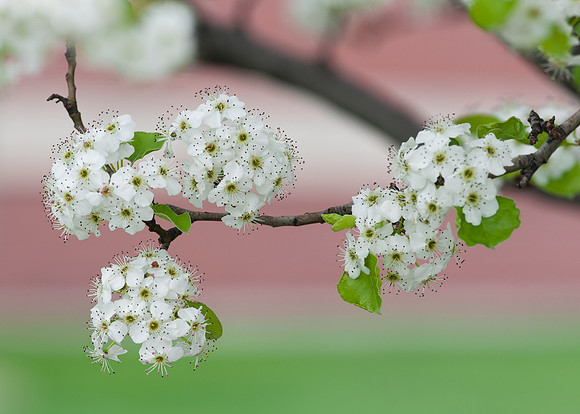
I was shooting some closeups of Spring flowers one Sunday morning in the parkway of an industrial park. To my surprise, a car pulled up next to me as I was capturing this photograph. My camera was secured on a tripod and the Nikon 105VR lens was just a short distance from the branches of the tree. The driver indicated that he owned one of the buildings in the park. He wanted to know what I was shooting. Clearly, I was taking pictures of the flowers (from just a few feet off the curb of the public road). He accepted that explanation and allowed me to finish the shoot.
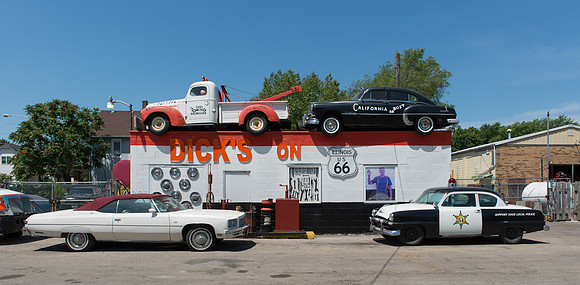
Fortunately, not all of my shoots involve irate owners. A couple of weeks ago, I stopped to take a photo of an auto repair shop off Route 66 in Joliet. After taking the first picture, the owner quickly approached me. When I explained how the old cars and signage attracted my attention as I was driving by, the owner was flattered and told me that several other photographers have taken similar photos of the site. She told me to shoot all the pictures that I wanted and even gave me a new baseball cap with the Dick's logo on it!
After being approached numerous times, I have employed some new strategies to ensure that I get the shot. First, I try to get permission. Before shooting some pictures of my local library, I secured a media pass from the Village. This gave me free access to shoot whatever I wanted at the library one afternoon.
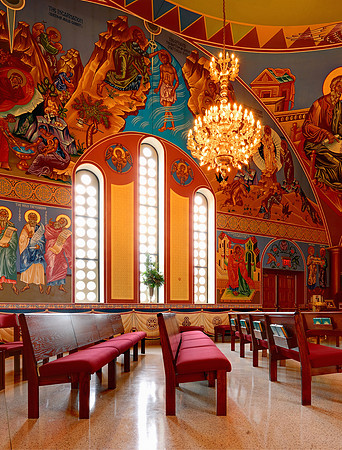
A priest of a local church granted permission for me to shoot photos of the interior of the building. While I was taking pictures, he left the site completely and trusted me to turn off the lights and close the doors behind me!
Most times, I just shoot and answer questions later. First, I look at the scene and determine exactly what spot I will be shooting from. Then, I select a lens and attach it to the camera. I preset the camera so that only minimal adjustment will need to be made once I get to the spot. Finally, I move to the spot and start shooting very quickly. After my first few shots, I continue to work the scene until I get approached. By the time I get approached, if I'm approached at all, I usually have the shot(s) stored on my memory card. After shooting several images at the Grainger Library at the University of Illinois, I was approached by a librarian and informed that photography is not allowed in the building. I quickly complied by putting my camera away, but not before capturing this image:
Just What the Doctor Ordered!I recently posted some information about my Prius camping experiences over the past year. While most aspects of Prius camping are positive, the one challenge in the heat of summer is keeping the cabin cool and ventilated. While utilizing the air conditioning is always an option (and one that I used on a particularly warm night in western Nebraska), a better solution is to somehow be able to open and screen the windows. Before leaving for my next photography trip, I planned to investigate ways of attaching mosquito netting to the open windows of the Prius. However, today I discovered what appears to be a more attractive solution! Not only does this provide all the ventilation that one would want, but it also opens up the cabin space significantly. I plan on purchasing one of these before the next road trip.
Sharing Photos: Holiday CardsI create holiday cards each year using a photograph captured from that year. For the past several years, I've used the Costco Photo Center to create these cards. I've been pleased with the product. The product is a 5x7 folded greeting card using heavy paper stock. I find this to be another fun way to share my photography. This year, I chose a photo that was taken very early in the year in Everglades National Park. This image appears on the front of the card in a glossy format:
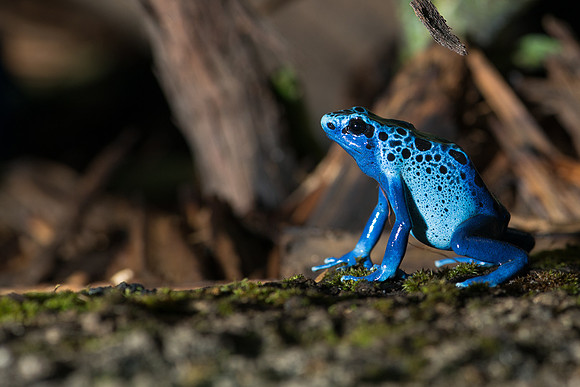
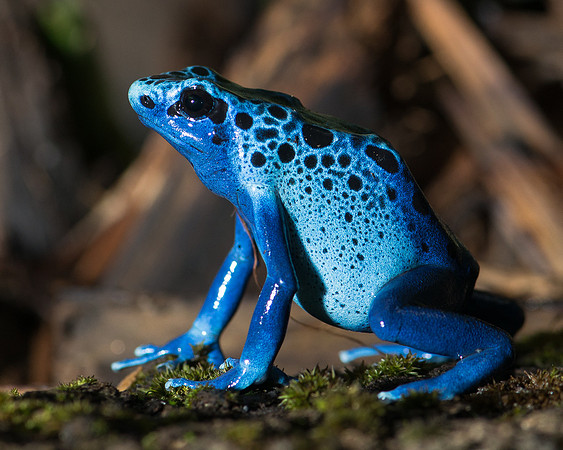
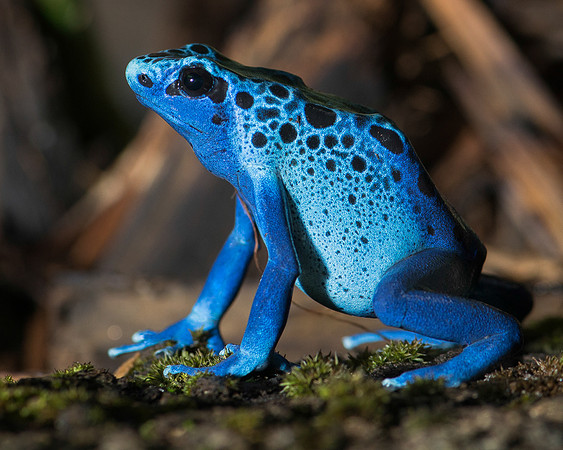
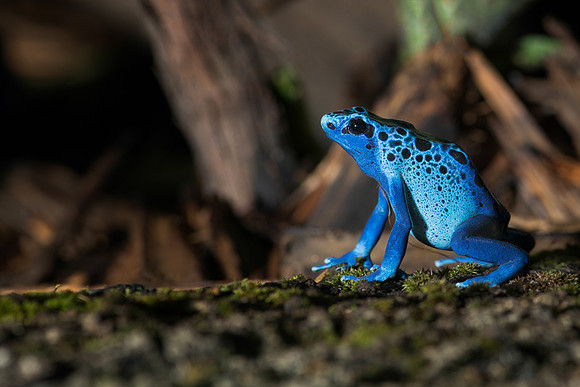
Flash Through GlassThe blue poison frog is housed behind very thick glass in an exhibit at the Brookfield Zoo. A few days ago, I shared some information about shooting photographs through glass. This post provides information about how Photoshop can help to make the use of a strobe a little less obvious. I like how a touch of fill flash makes the color of the frog more vibrant. The flash also provides light that is very close to the temperature of daylight. This helps override the lighting in the exhibit which throws strange color casts onto the subject. One of the challenges with using a relatively small flash on this subject is that the light reflects off the shiny frog and leaves some hot spots on the subject--regardless of how low the power of the flash is set. Here's the original image:
|