|
I'll be posting some random thoughts here about my photography: my travel plans, technical information behind some images, stories about how certain pictures were captured, etc. The timing of the postings will also be random as my priority is capturing new images rather than writing about existing ones. I hope you will feel free to comment on any of my postings and I appreciate you taking time to read my entries.

It Doesn't Hurt to AskLast weekend, I visited the annual Reptile Fest in Chicago in hopes of capturing some interesting photographs. At first, my time at Reptile Fest was rather disappointing from a photography perspective as most of the reptiles were housed behind glass. And, the place was mobbed with people which made it difficult to set up any pictures. Just as I was about to leave, I decided to push my luck a bit. I asked one of the woman who was working the tortoise exhibit if she would mind if I took some photographs of the turtles. Before I knew it, she was picking up various turtles (some of which weighed more than 60 pounds) and positioning them on a table for me. After a few shots, some of the other workers expressed interest in having their pet turtles photographed. Seeing the willingness of the participants, it wasn't long before I had one person grab a black tablecloth and another standing behind the turtles with a black cloth. Effectively, I created my own little studio at the crowded Reptile Fest with my Nikon D800, 105VR macro lens and one Nikon SB-900 flash unit!
Make It Fly with Photoshop!While visiting the United States Air Force Academy outside of Colorado Springs, I noticed this monument to the B-29 Superfortress. Usually, I don't like to alter pictures significantly in Photoshop. However, before capturing this image, I already knew that the plane would be in flight in the final image. Here's the original photograph:
And, here's the final image. Maybe this isn't the best image in the world, but I think it is much improved from the initial capture.
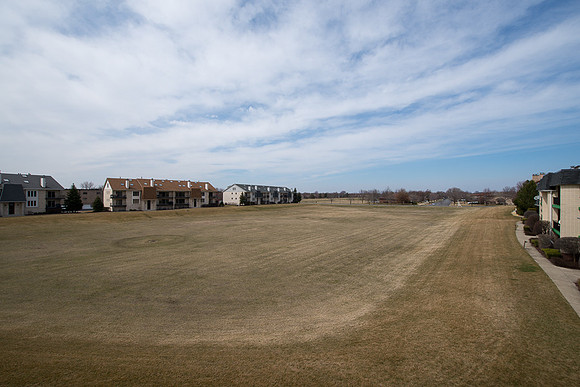
Fotodiox and VignettingLate last year, I posted a blog entry about using the Fotodiox 145mm Circular Polarizing filter with the Nikon 14-24 lens. You may click here to view that entry. At that time, I owned just one Fotodiox filter. I tested the filter on the Nikon 14-24 lens at the widest focal length and noted that vignetting was not an issue. Subsequently, I received numerous questions about whether vignetting would occur if a second filter was stacked on top of the Circular Polarizing filter. Recently, I purchased the Fotodiox ND32 filter. So, I was finally able to perform some tests regarding the vignetting with two filters stacked on the 14-24 lens. All images were captured using f/8 at ISO 100 with the Nikon D800. Here are the results: No Filters @ 14mm (baseline)
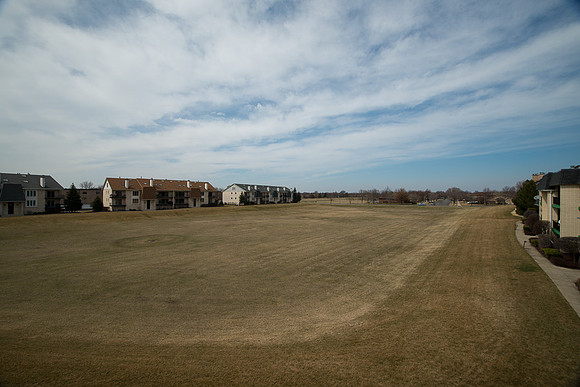
One Filter (CPL) @ 14mm
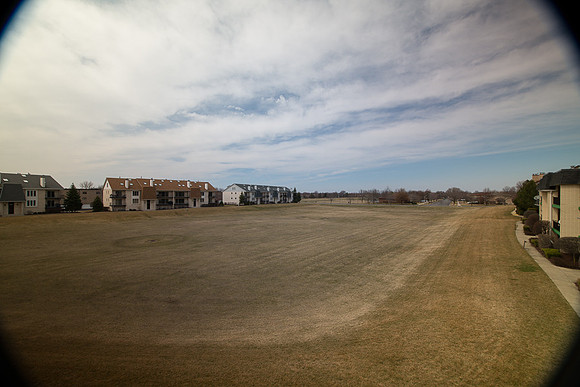
Two Filters (CLP & ND32) is clean @ 24mm:
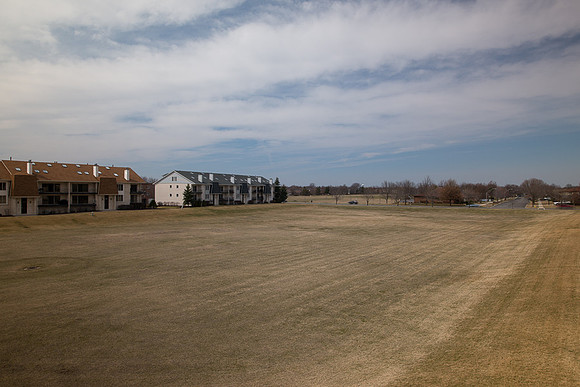
At 16mm, the vignetting is becoming an issue:
Gettysburg's 150th AnniversaryThis year marks the 150th anniversary of the Civil War battles at Gettysburg, Pennsylvania. Each year, thousands of people gather to participate in or observe reenactments of the battles. I plan to photograph this year's reenactment from July 5th through July 7th. This is a major event. Based upon past reenactments, it is expected that about 40,000 reenactors will be participating with over 50,000 people viewing the reenactments! The last, and only, time I visited Gettysburg was in 1994. Back then, I was shooting Kodachrome slide film. Here are a few images from the event that I scanned 15 years later:
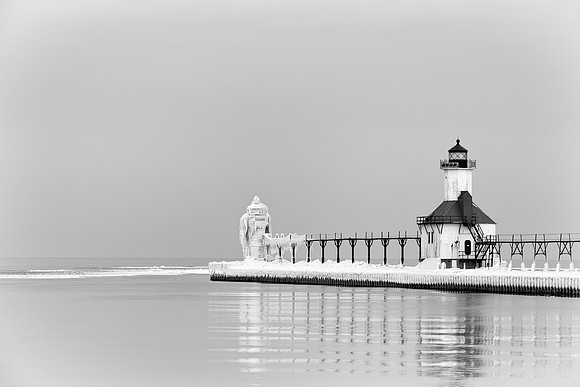
Frozen LighthouseI visited Saint Joseph, Michigan to photograph the historic lighthouses on a cold, Winter afternoon. The outer lighthouse on the North Pier was most interesting to me because of how the ice accumulated on the structure. Lake Michigan gets very rough at times and looks more like an ocean than a lake! The high waves spray water all over the lighthouse. Then, when the temperatures drop, the water freezes into an amazing ice sculpture. I learned of this spectacular location by reading the Nikon Cafe photography forum. I was inspired by another Chicago area photographer, Frank Angileri, who shared some photographs from a recent trip that he made to the lighthouse. He also provided me with sound advice on how to approach the photo shoot. Most importantly, Frank cautioned me about staying safe out there on the ice! I arrived in Saint Joseph at about 3:00 PM. My plan was to start by walking to the end of the North Pier to take some close, wide angle, photographs of the outer ice-covered lighthouse. However, as Frank warned, to reach the second lighthouse, one must first walk around the first lighthouse. But, the narrow path on the side of the first lighthouse was covered with solid ice. Additionally, the wall of the lighthouse was covered with ice. And, there are no railings! Given the freezing temperature of the water and the distance of the lighthouse from the shore, the chances of surviving a fall into the lake are slim. As Frank mentioned, "it would not end well." So, with a heavy backpack containing my camera, four lenses and a tripod on my back, I decided not to risk the walk around the first lighthouse and turned back. Here's a picture of the two lighthouses on the North Pier:
Fortunately, there is another pier, the South Pier, which provides some excellent views of the lighthouses. So, I drove over to Silver Beach and walked down the South Pier. I enjoyed shooting the lighthouses for a couple of hours in some nice late afternoon light. However, my favorite photographs came after the sun went down! A few accessories helped make the icy conditions more tolerable. First, I quickly strapped some Kahtoola MICROspikes over my boots to help with my traction. Also, I like to wear mittens that fold down to reveal finger-less gloves to keep my hands warm while giving me the ability to work the camera with my fingers. I was hoping that the ice-covered lighthouse would light up while I was there. And, I wanted to photograph an illuminated lighthouse before the sky got too dark. The camera's sensor is capable of recording some great colors well after sunset. But, the images lose color and get far more contrasty when the sky goes completely black. I usually like to shoot for about 20 minutes after the sun goes down. At sunset, the light in the window of the lighthouse went on. It was flashing and quite dim. The light would go on for a second, then off for three seconds, then back on for another second. I wasn't sure what to expect, but decided to try a few exposures. Since I had my tripod, shutter speed wasn't an important consideration. I first set my camera for a sharp, middle of the road, aperture (f/9). Then, I selected the lowest possible ISO (closest to the camera's base ISO of 100) for the highest possible image quality. In this case, ISO 160 was the setting for a shutter speed of 30 seconds. As always, I set my camera for Mirror Lock Up and used a cable release to minimize any vibration. And, I also set my Long Exposure Noise Reduction to ON to minimize any noise associated with heat building up on the sensor from such a long exposure. I wasn't expecting much at first, but was pleasantly surprised when I saw the image appear on the LCD panel on the rear of the camera. I was expecting the window light to get blown out and appear as a bright overexposed ball. But, because the light was dim and only stayed lit for about 8 seconds during the exposure, the light appears soft and warm in the photograph. While processing this image, I decided to make it a composite. Earlier, I had photographed a full moon. I blended that image of the moon with this image of the lighthouse to create a composite image that contained both subjects in the same frame.
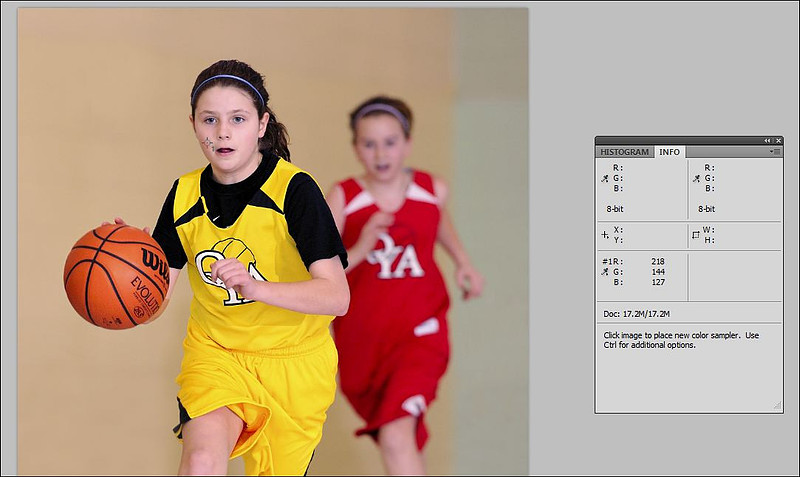
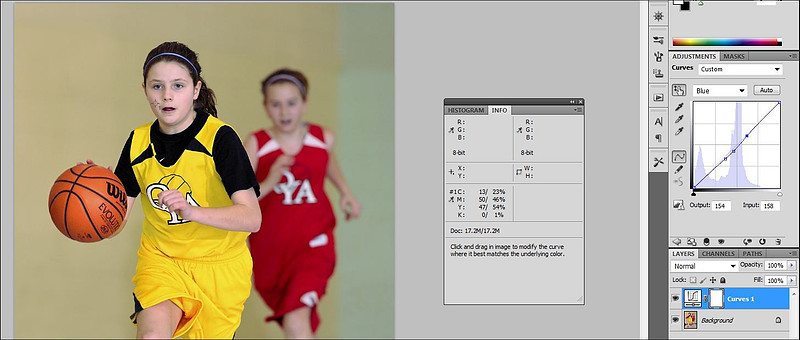
Skin Color by the NumbersRecently, one of my blog readers pointed out that the skin tone in a basketball action picture was too pink. Since Photoshop provides an objective way of measuring the skin tone, I thought this process would make for an interesting post! Here is the photo is question:
Next, convert the RGB values inside of the Info palette to CMYK percentages by clicking on the little eyedropper on the left side of the readings. The readings should for the selected sample should now appear as CMYK percentage values. For this control point, the cyan reading is 13, while the magenta reading is 50:
Before proceeding, I refer to a few guidelines for reading an average caucasian's skin tone:
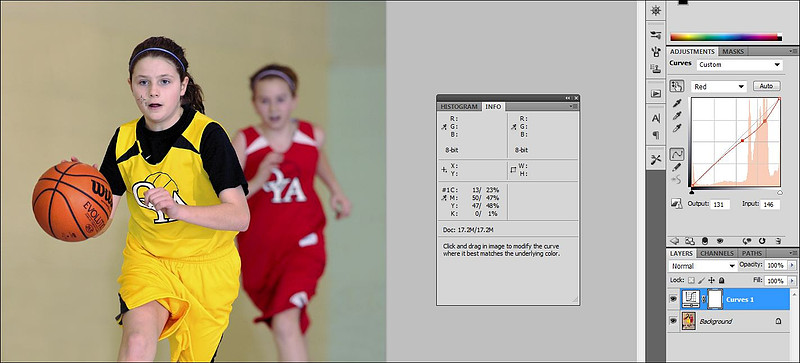
In the above photograph, the magenta value is too high as compared to the cyan readings. So, my reader is correct--the skin is too pink! My next step is to make some adjustments to the color curves to correct the skin tones. Before getting started with those adjustments, I create a Curves adjustment layer. I then select the Red channel within Curves:
Then, I select the portion of the curve that represents my first control point and drag the curve down (less red, more cyan) until the cyan reading increases to a more reasonable level...in this case I stopped at 23. Why did I stop at 23? For one thing, I noticed that at the 23 level, the magenta reading (47) is about twice that of cyan. Next, I make an adjustment to the same portion of the curve, but this time I open the Blue channel and drag it down (less blue, more yellow) until the yellow reading is a little higher than the magenta value. Since this is a young girl in the picture, I did not raise the yellow very far above the magenta level.
The skin color, at least for this portion of her face, looks accurate to me. And, the numbers bear that out. If you are not yet satisfied, you can always drop more Color Sampler points on different portions of the skin and use the same method for correcting each area. Also, if you don't like what's happening to the color of the background, feel free to mask it off in the layer.
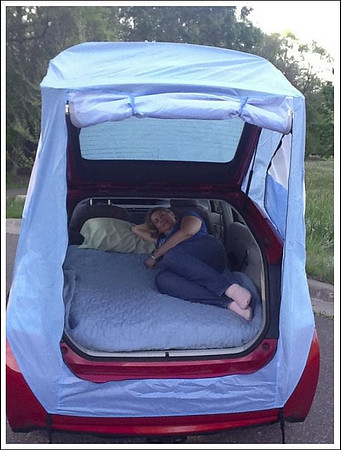
I've used this method quite often when skin tones need correcting. Once you get the hang of it, you can accomplish the steps quite quickly. Prius TentLast August, I posted an entry about my experience with Prius camping during my trip to the Greater Yellowstone region. This posting has been widely read and has attracted a high number of hits. The article currently appears at the top of the list when you submit "Prius Camping" as a Google search. Click here to view the article. Since then, I've been looking for ways to make my Prius camping experience even better. I discovered that a company called Habitents created a product specifically designed for the Prius camper! For me, the biggest advantage of this product is that it converts the Prius into a tent--allowing the summer breeze to freely enter the car while the netting keeps the bugs out. Additionally, it opens up the interior space. The following image, courtesy of Habitents, illustrates how the tent opens up the sleeping area:
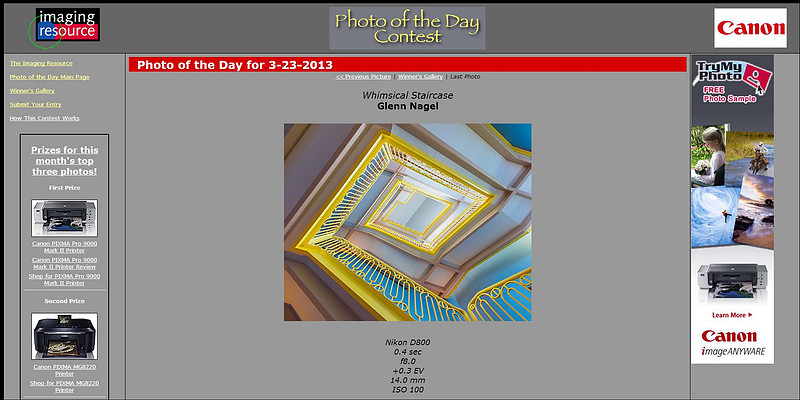
I ordered my Prius tent on Wednesday and it arrived on Saturday. When it first arrived, I wasn't sure if the package was large enough for the tent. The tent easily packs into a stuff sack which fits in the car's glove compartment! I then tested the tent by attaching it to my own Prius. I was impressed with the ease of assembling the tent. The tent was securely attached to my Prius in less than five minutes. I'm sure that this process will become even faster after doing it a few more times. So far, I'm pleased with the purchase and look forward to camping in the Prius during two photography trips this summer. Whimsical Staircase Makes it Five in a Row!On March 23rd, Imaging Resource recognized my "Whimsical Staircase" as its Photo of the Day:
This follows winning entries in each of the previous four months: November 5, 2012: Dog in Flight (First Place)
December 3, 2012: Orangutan Pose (Runner Up)
January 8, 2013: Labor of Love
February 26, 2013: Lighthouse Ice Sculpture
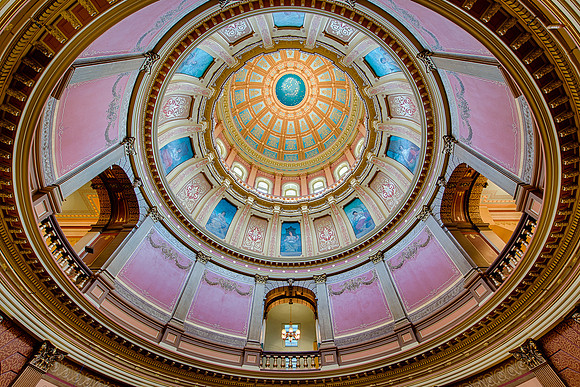
Stay Parallel to Minimize DistortionOver the past year, I have found myself reaching for the Nikon 14-24 2.8 lens more frequently. When I first started shooting with this lens, I found it challenging to deal with vertical distortion--particularly at the wide end of the zoom. Sometimes vertical distortion is unavoidable or even desirable. This photograph of the interior of the dome of the Michigan State Capitol was captured at the 14mm focal length. I was forced to tilt the camera up to get all of the elements within the frame. As a result, you'll notice that the outside arches are tilting dramatically toward the center of the frame.
This next picture was also captured at the 14mm focal length. I was careful to align the sensor plane so that it was parallel to the back wall of the Senate chamber. Note how the lines are relatively straight throughout the image:
In any event, the way that I deal with the tilt-shift issue is to take advantage of the cropping flexibility offered through the massive Nikon D800 files. I simply crop the top or bottom of the frame to suit the image--and usually end up with a file that is still much larger than the uncropped file generated by my Nikon D700! Here's another example of the parallel approach using a horizontal orientation of the House of Representatives chamber:
The Last Photo of the ShootSome of my favorite images from a photo shoot come right at the end of the shoot. Years ago, I noticed that the best photo opportunities often presented themselves at the moment just after I put all my camera gear away. For example, I might be observing an animal for an hour or more at the Brookfield Zoo. After deciding that enough time had passed, I would pack up and get ready to leave--only to see the animal exhibit a behavior that would have made for an incredible picture! This happens when shooting sunsets as well. In past years, like so many other photographers around me, I would pack up and leave the scene the moment the sun dropped below the horizon. But, the digital sensor has the ability to record some incredible colors even after the scene is quite dark to our eyes. Some of my best photographs were captured well after the sun disappeared from the sky. In recent years, I've tried to continue photographing a scene for at least 15 minutes after I ordinarily would have planned to leave. This practice has given me an opportunity to capture many of my favorite photographs. Last month, I attended a "Bird of Prey" workshop led by Steve Gettle at the Howell Nature Center in Michigan. The photo shoot took place on a rainy afternoon. During the shoot, the rain gradually increased in intensity until just a handful of photographers remained. At some point, I noticed that I was the last photographer shooting! Fortunately, one of the volunteer handlers was patient enough to allow me to take a few parting shots of a Great Horned Owl in the rain. As it turns out, the very last image that I captured (and the last photograph taken by anyone at the workshop) was one of my favorites from the trip!
|