|
I'll be posting some random thoughts here about my photography: my travel plans, technical information behind some images, stories about how certain pictures were captured, etc. The timing of the postings will also be random as my priority is capturing new images rather than writing about existing ones. I hope you will feel free to comment on any of my postings and I appreciate you taking time to read my entries.

Technician, Craftsman or Artist?In a training video ("A Week with Jay Maisel in Paris") that I watched last month, Jay Maisel made what I thought was an interesting comment about photographers. He described three categories of photographers: Technician: "a photographer who is only interested in the technical aspects of the game" Craftsman: "a photographer who is trying to do it as well as he can" Artist: "a photographer who says that once you look at his work you will look at the world in a different way" Jay's comments challenged me to think about what category might best describe my own photography. I don't consider myself to be a Technician as I am only interested in the technical aspects of photography to the extent that understanding those aspects will enable me to capture my vision. I don't necessarily enjoy looking at and/or purchasing the latest gear unless I think it will help accomplish my photography goals. One day, I hope that my photography will evolve to the Artist category. I hope that my pictures will someday encourage others to see the world in a new and different way. For now, I would categorize myself as a Craftsman as I continually strive to improve my skills in a wide variety of areas within photography. However, besides striving to improve my technical expertise in photography, one of my goals is to create a greater number of images that will evoke more of an emotional response from viewers. What category do you think best describes you as a photographer? Back in BusinessI am pleased to report that my Nikon D800 is back from the Nikon Service Center in Melville. As I mentioned in an earlier posting, the camera experienced some very sporadic focusing issues during my trip to New Mexico. Since the camera is still under warranty, I sent it to Melville for a full check. Nikon received my camera on January 24th. My camera was returned to me via UPS Overnight delivery this morning. I was pleased with the turnaround time for this repair. Nikon performed the following steps on my D800:
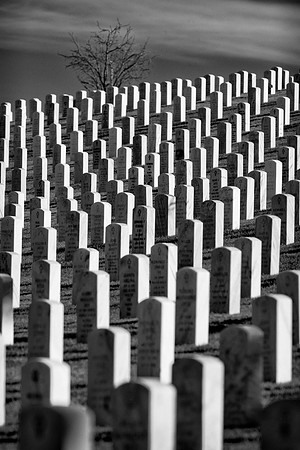
Since the camera is still under warranty, the above services were completed free of charge. Because of the sporadic nature of my autofocus issue, I won't know for a while whether the issue has been fixed. But, if nothing else, at least my camera has been thoroughly cleaned and checked. Compress the Scene with a Long LensMany people buy a long lens specifically for photographing birds or other wildlife. Although I use my 500mm lens for those subjects, I also enjoy using the lens for capturing landscapes. A long lens is useful for condensing a scene. While taking photographs at the Santa Fe National Cemetery, I started with the Nikon 24-70mm lens. Here's the scene when viewed through the 50mm focal length:
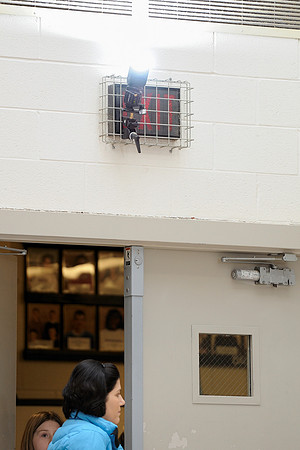
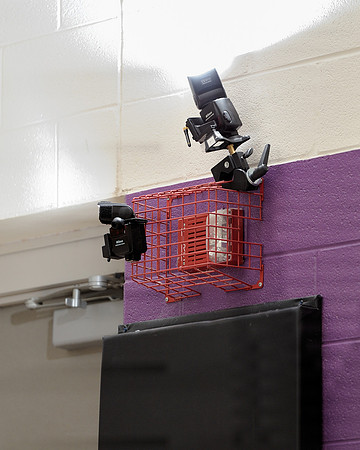
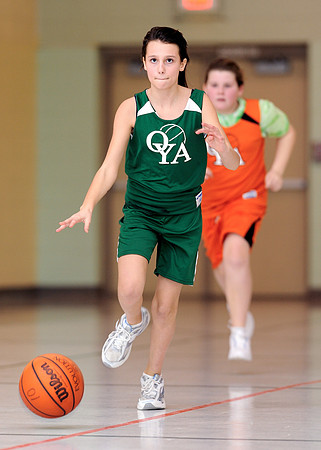
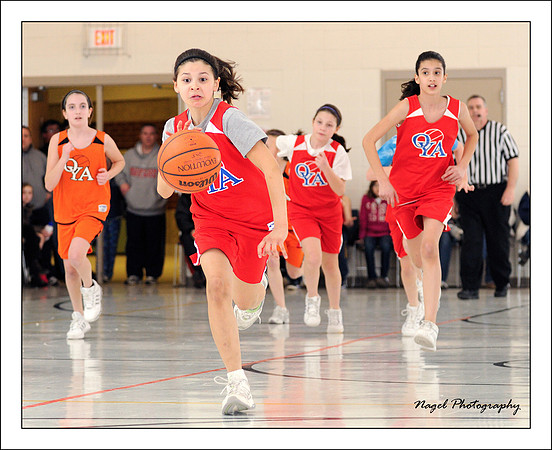
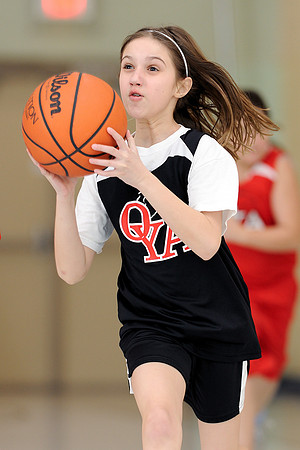
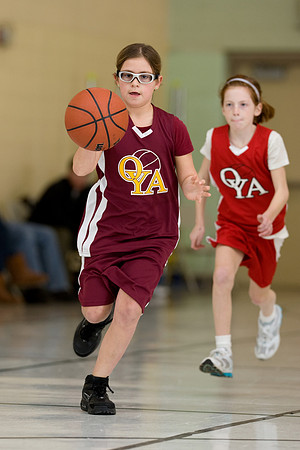
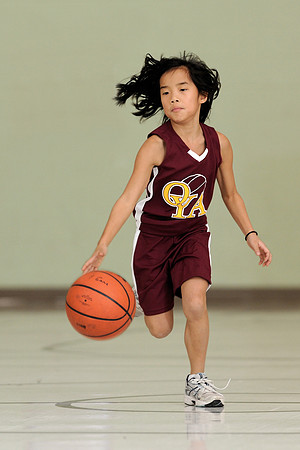
Basketball: Using Strobes in Dimly Lit GymnasiumsIt's been a while since I've used flash units while shooting basketball. But, I get a lot of questions from photographers about how I lit some of the basketball images from grammar school gymnasiums. Usually, I use either two or three small Nikon flash units to light the action:
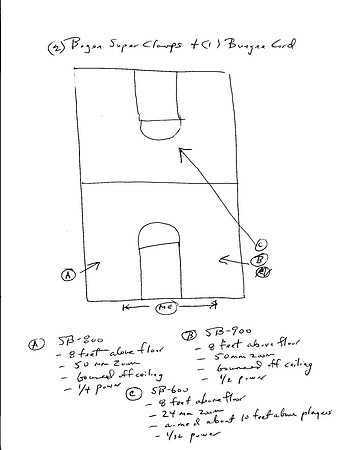
Obviously, two or three pocket sized flash units will not provide sufficient power to light an entire gymnasium. So, I use the ambient light to the extent possible and let the flash units supplement the existing light. My first step is to set a manual exposure in the camera that will underexpose the scene by approximately two stops. So, if a good exposure without any flash requires ISO 3200 at 1/250th at f/2.8, I will adjust the ISO setting down to 800--which effectively underexposes the image by two stops. Then, I add flash. I adjust the flash power manually until it properly exposes the subject. Typically, this requires a power setting of 1/4. Sometimes, it requires more power (1/2); sometimes, it requires less power (1/8). With digital, just check the LCD panel and histogram on the back of the camera and adjust accordingly. A typical exposure with flash ends up being 1/250th at f/2.8 at ISO 800. Without the flash units, the ISO would have been 3200 with the same shutter speed and aperture. More importantly, without flash, it takes a faster shutter speed (probably more like 1/1000th) to freeze the action. Please CLICK HERE to read my earlier blog entry about how flash can be helpful in freezing action at very slow shutter speeds. White balance can be a challenge in such venues. I usually use a WhiBal card and take some readings at various locations around the court. Regardless, the cycling lights can cause the white balance to constantly change. Again, flash provides a huge benefit in dealing with this issue. By using flash, which emits light with a color temperature approximately like daylight, you mitigate most of the white balance issues that exist by relying solely on the cycling tungsten or florescent lighting in the gyms. The Nikon system makes it relatively easy to trigger remote flash units. I use one of three approaches to accomplish this:
Here is a diagram of how the flash units are positioned:
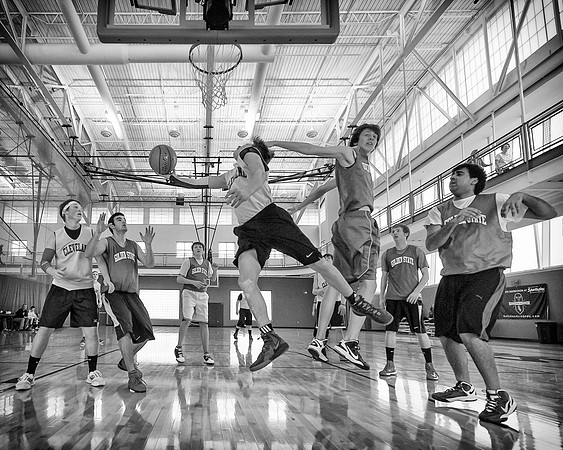
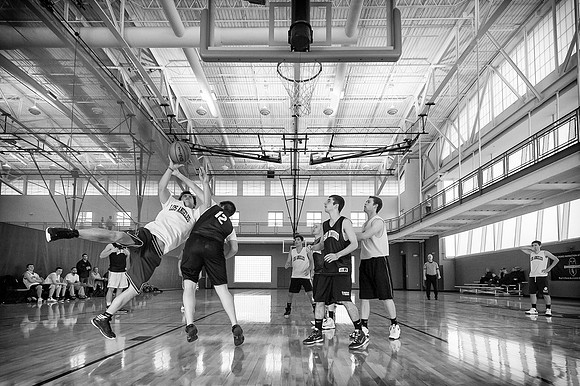
Ultra-wide BasketballI decided to try something different while photographing my nephew's recreational basketball game the other day. I captured most of the pictures using an ultra-wide 14mm focal length! The wider field of view provides more of an environmental perspective of the action. However, for these to be effective at all, it is important to get very close to the action. For these shots, I was positioned about a foot from the baseline and almost directly under the basket. This position would not be permitted in anything other than a recreational game in which I knew the officials! There were several times when I was forced to bail from my position as a player was about to land on me.
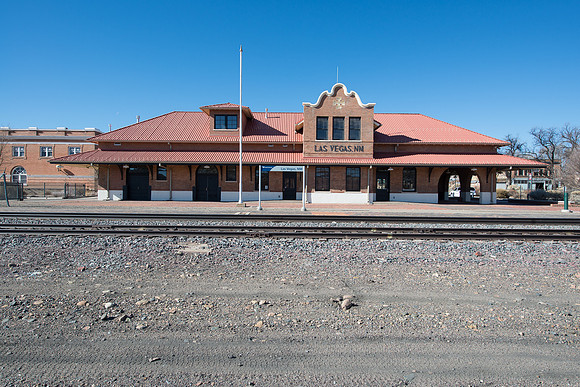
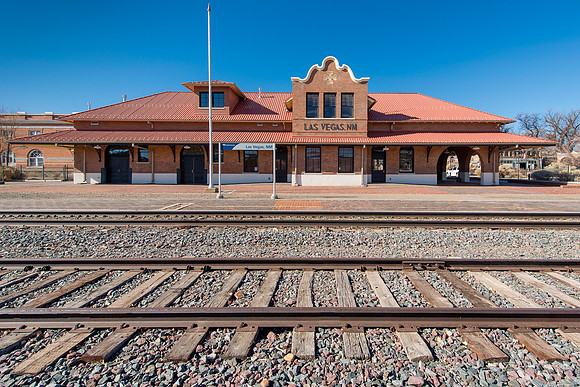
Indoor gymnasiums are typically not well lit. This one is lit better than most due to all the windows--which provides its own challenges. However, for these action shots I try not to let my shutter speed drop below 1/1000th. That required ISO settings of 2000 or higher in this gym with the lens nearly wide open. At night, the ISO settings exceed 6000 to achieve the desired shutter speed. As a result, I tend to favor B&W conversions as they hide much of the image quality issues that exist in the pictures. I use the camera's manual mode to set exposure for basketball. This is even more critical here because of the bright daylight shining in from the windows. Just a small shift in view causes the exposure to change dramatically. If the meter emphasizes the window light too much, the players get underexposed. So, I usually aim the lens for an area of the court that is neutrally lit--and lock that exposure in manually. I'll check the histogram occasionally to make sure that the lighting hasn't changed too much. During this photo shoot, the light levels dropped from one game to the next and I had to increase my ISO accordingly. Get Low for a Different PerspectiveToo often, it's tempting to take pictures while in a normal standing position. For more interesting photographs, it's helpful to view things from a different vantage point. Many times, I'll take another look at a subject from a much lower perspective. While visiting Las Vegas, New Mexico (that's right, New Mexico!), I found this to be true while taking pictures of the historic train depot. When I first approached the subject, I captured the picture while standing up. Notice how insignificant the train tracks are in this version:
D800 Returns to MelvilleLast year, I sent my new Nikon D800 camera into Nikon's Service Center in Melville mostly as a precautionary measure. The camera showed some signs of focusing issues with the left sensor as well as a dead LCD panel at times. I've experienced very few problems with the camera since its return until my recent trip to New Mexico. While shooting in New Mexico last month, I experienced sporadic issues with auto-focusing. As always, I would position one of the auto-focus sensor points on my subject and then release the AF-ON button to lock the focus. I program my camera so that the AF-ON button is the only thing that activates auto-focusing. Pressing on the shutter button does not activate focusing. On a few occasions during my trip, the camera would continue attempting to focus even after I released my finger from the AF-ON button! The sensation was almost as if vibration reduction was continuing to operate. The lens would make a rattling sound and then typically focus on something other than my subject. At first, I suspected that my new Nikon 24-70 lens was the culprit. But, the problem occurred a few times with my Nikon 14-24 as well. And, neither of these lenses offer vibration reduction. So, my D800 is off to Melville once again. Fortunately, the camera is still covered under its warranty. And, if I'm fortunate Nikon will clean my dirty sensor before sending it back to me. I'll be shooting with my back-up D700 until the D800 returns. Moving WaterMoving water is rendered as smooth and silky in many photographs. Photographers often use long exposures to allow the motion to blur the water within the image. Although this is usually my preferred method of photographing moving water, I sometimes like vary the shutter speeds to create different effects. I selected a slow shutter speed (0.8 seconds) to smooth the moving water of Niagara Falls. To accomplish this slow shutter speed, I selected a low ISO (100) and a narrow aperture (f/11). As the sun rose, narrower apertures were required to retain the slow shutter speed due to the increased light. At some point, even the narrowest aperture won't allow for such a slow shutter speed. Then, the photographer is forced to use a faster shutter speed or to use a neutral density filter to reduce the amount of light reaching the sensor.
In this next photograph of the Lower Yellowstone Falls, I wanted a faster shutter speed to partially freeze the movement of the water. The faster shutter speed portrays more power from the Falls. I selected a shutter speed of 1/125th of a second. By using a neutral density filter, I kept the aperture at a sharp f/8 at the base ISO setting of 100.
Selecting your preferred shutter speed is a matter of experimentation and personal preference. Slow moving water requires slower shutter speeds to render motion blur than rapidly moving water. Moving water that is further away in the frame requires slower shutter speeds to portray motion blur than water that is very close to the lens. In the digital age, it is much easier to create what you are intending. I shoot the same scene at a variety of shutter speeds. The images can be viewed instantly on the camera's LCD screen. Or, you can view the images later and select the ones that work the best. Evolution of a PictureEarlier this week, I captured a few photographs while visiting the campus of the University of Illinois at Urbana-Champaign before a Fighting Illini basketball game. One of the buildings that I photographed was the Foreign Language Building:
My next priority is to achieve straight lines. At the time of capture, I try my best to keep the lens perfectly aligned. I rely on the Virtual Horizon feature of the D800 to help me get there. Keeping a wide angle lens perfectly aligned minimizes distortion. As a result, you'll notice that I end up with too much of the brick floor in the foreground. Thankfully, the high resolution of the D800 file allows me to crop this frame while retaining a large file. However, despite my best efforts, I was not pleased with the lines in this image:
Now that the lines are straight, I proceed with an ordinary crop. This step removed the distracting brick floor in the foreground. My next priority is to fix the challenging white balance (color) issues. In this building, there is a substantial amount of daylight streaming in from the windows. And, there is also a significant amount of florescent interior lighting--which is throwing a green cast over much of the frame. Mixed lighting sources in the same frame can be a challenging problem. To correct the colors, I create a new "Color" layer. Then, I select my desired color from a segment of the image and paint that color over the problem area. For example, in this image I selected the color of some bricks that appeared to have accurate colors and then applied that color to the bricks with the strong green cast. For more details on how to do this, please CLICK HERE to review my blog posting on this topic. With some of my Foreign Language Building images, I turned on the lights with Photoshop. CLICK HERE to read more about how I accomplish this. In this case, I simply selected a brush using the color of one of the lights and then painted the white light within some of the other lamps. After working through these steps, I ended up with this finished image:
|